Free Weather Pro: Tell a Friend
Weather grows through word of mouth. Tell someone about Weather Extension, and a lifetime Weather Pro upgrade is on me. A text, an email, or a conversation all count. Already mentioned it to someone? That counts, too. I trust you.
Updated September 2026: This page used to explain a review promotion. The current offer is simpler: share Weather and activate Pro yourself. You do not need to leave a review, send a screenshot, pay, or email me for approval.
Here’s how to do it. Start from Weather in the browser and profile you want to upgrade. If you need the extension first, install Weather. Click any screenshot to enlarge it.
1. Open Contact in Weather
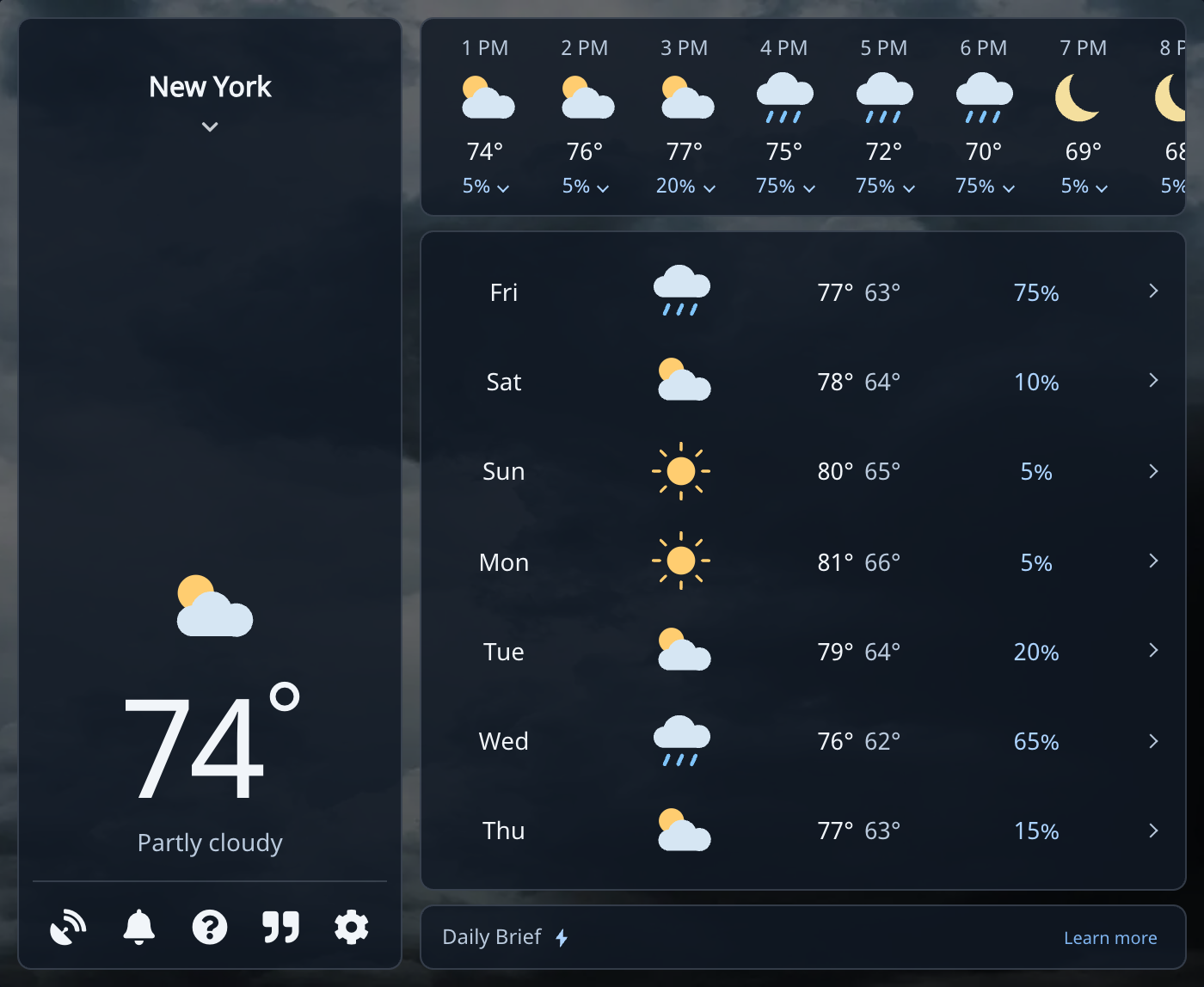
Open Weather from your browser toolbar. Click the question mark (?) in the lower-left controls, below the current conditions. That opens Contact.
2. Open the Upgrade Page
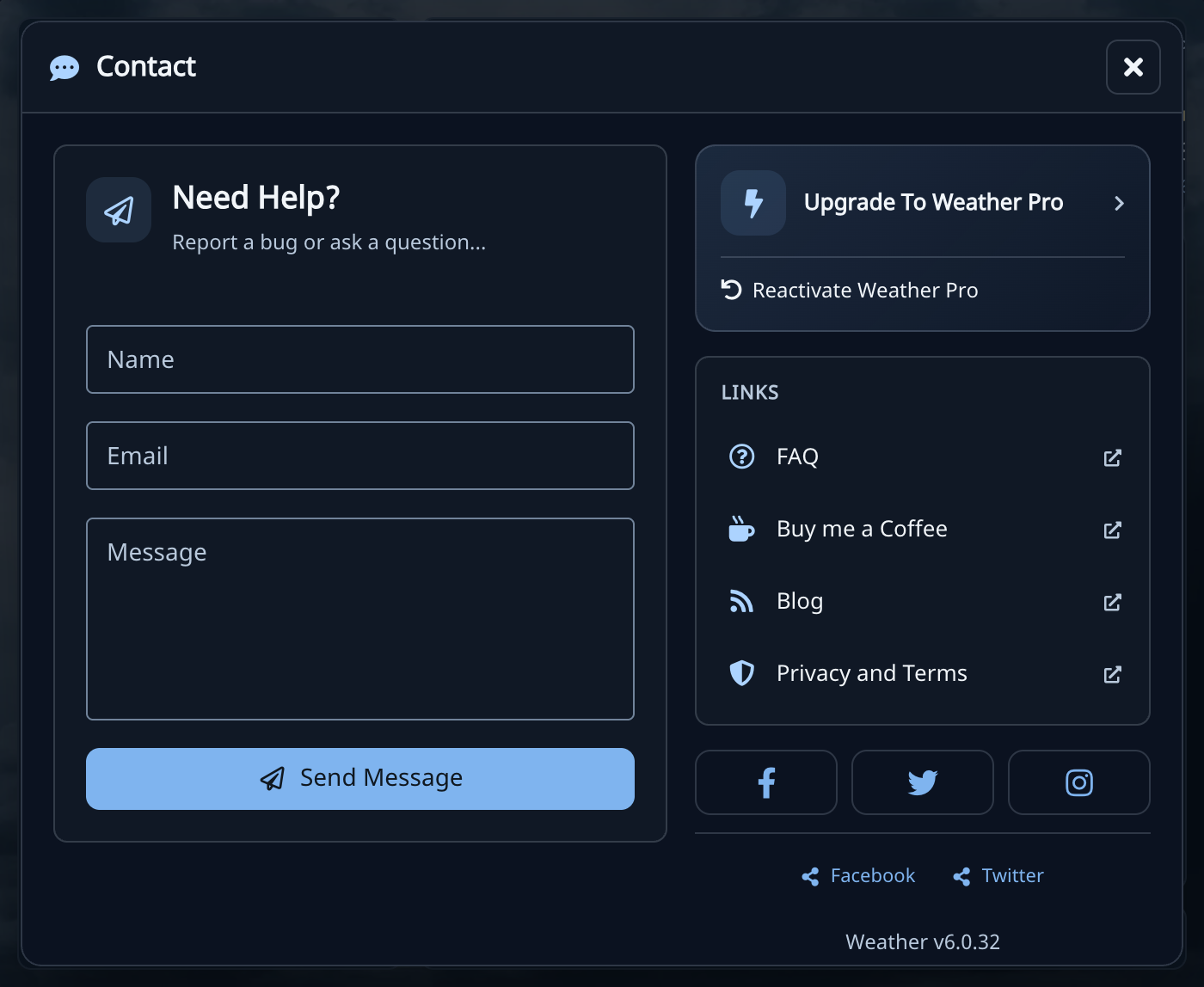
Choose Upgrade To Weather Pro at the top of the right column. There is no need to fill out the contact form or send a message.
3. Choose the Free Offer
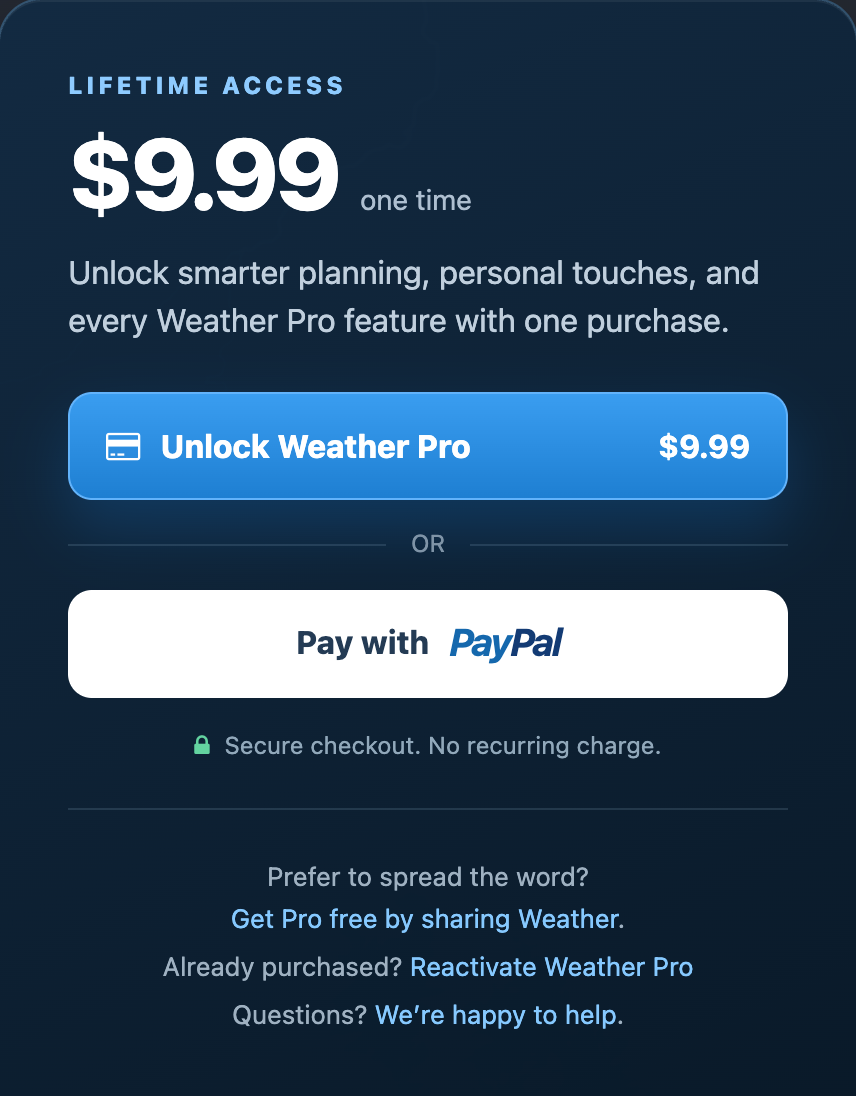
On the upgrade website, look below the card and PayPal buttons. Click Get Pro free by sharing Weather. No payment details are needed for this offer.
4. Tell Someone and Activate Your Upgrade
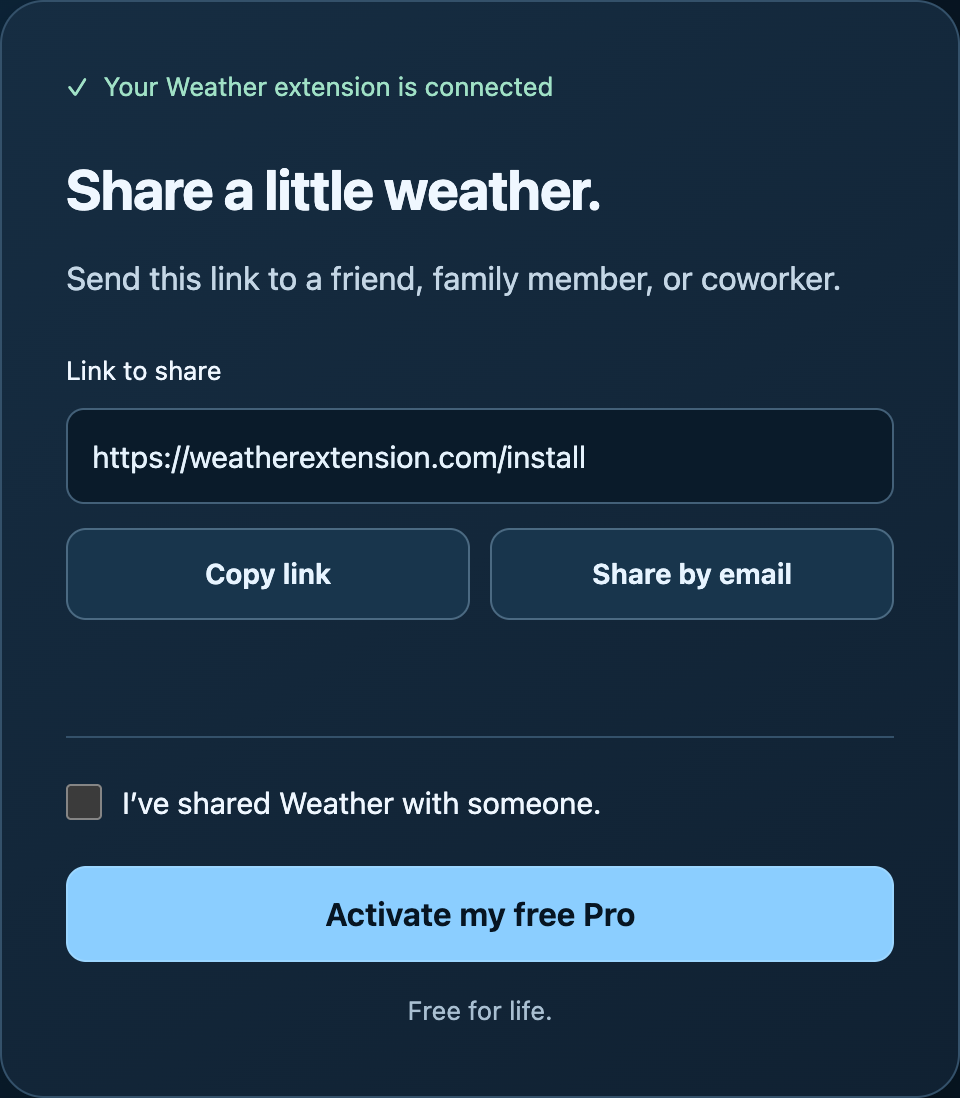
Use Copy link to copy the Weather install link, then send it to a friend, family member, or coworker. Share by email opens an email draft you can send. A conversation counts too, and you can continue if you already shared Weather.
Check I’ve shared Weather with someone and select Activate my free Pro. Copying the link alone does not activate Pro. You do not need to wait for your friend to install Weather or for me to approve the upgrade.
You’ll see Weather Pro is active! Close and reopen Weather in the same browser and profile to use your Pro features.
What You Get
This is a free lifetime upgrade with every Pro feature and no recurring subscription. Pro adds weather alerts, more saved locations, additional weather sources, a Daily Planning Brief, custom toolbar colors, and optional morning or evening weather summaries. See the features and examples.
If You Followed the Old Review Instructions
If you already left a review, thank you. You do not need to leave another one or send proof. Follow the sharing steps above to claim Pro. Reviews are optional and are separate from this offer.
If Pro is already active in your browser, you’re done. There’s nothing else to claim.
Help With a Missing Upgrade
Close and reopen Weather in the browser and profile where you claimed Pro. If it still looks locked or the upgrade page fails, email [email protected]. Contact me before reinstalling or clearing browser data.
For a previous paid purchase, use the restore-Pro guide. Free sharing upgrades do not come with a purchase receipt or license key; email me if you need help using one in another browser.
You can also follow the free-Pro guide in the Weather Help Center, which walks through the same steps with screenshots.