Golf swing review
Review any swing video.
Slow it down, draw notes, and save a marked-up clip. Your video stays on your computer.
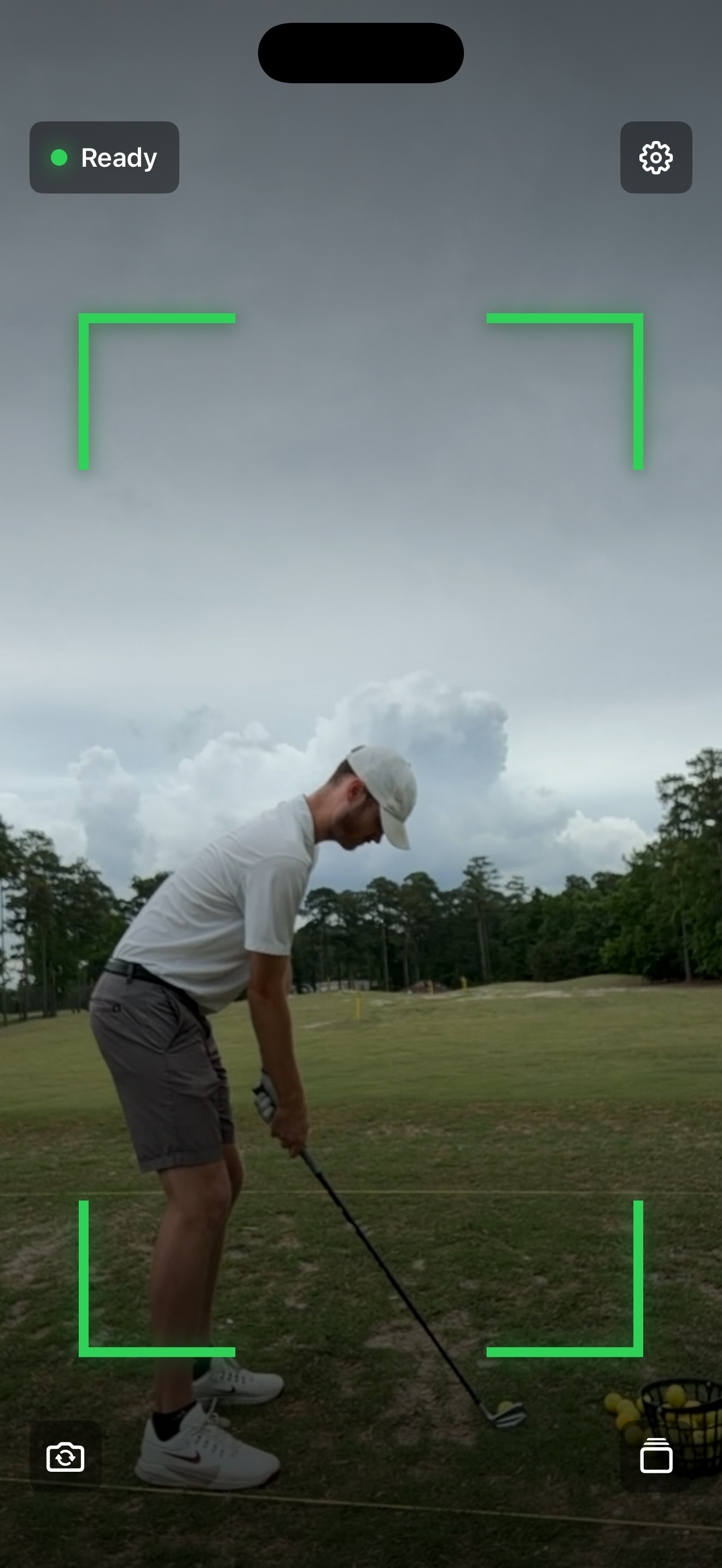
 Record swings on the range Try Golf Swing Camera for iPhone. It records, trims, and saves swings so they are ready to review here. Download on the App Store
 FAQ
Common questions
Does my swing video get uploaded?
No. The analyzer runs in your browser. Your video, drawings, trim range, and export stay on your device unless you choose to share the finished file.
What video formats work best?
Use the video straight from your phone. If the browser cannot play the original format, the analyzer prepares a compatible copy locally before opening it.
Does the exported video include my drawings?
Yes. Export uses the trim range, the current playback speed, and any lines, arrows, circles, or freehand marks on the video.
Why can export take a little while?
The browser is rebuilding the clip locally instead of sending it to a server. Shorter clips export faster, so trim out the dead time before exporting.
What is the best camera angle for swing review?
Down-the-line and face-on are the two most useful views. Keep the whole club in frame, use good light, and set the camera steady at about hand height.
Can I use it on my phone?
Yes, but the bigger screen is better for drawing and detailed review. For recording at the range, Golf Swing Camera for iPhone is the smoother option.