How to Use YouTube Transcripts with ChatGPT

When I want to learn something quickly, I usually start with YouTube.
Not because video is always the best format. It often is not. Video is slow to skim, hard to search, and easy to forget after you close the tab.
The better workflow is simple: find a good video, grab the transcript with the T.LY YouTube Transcript Extractor, paste that transcript into ChatGPT or Codex, and start asking better questions.
Now the video is not just something you watch. It becomes searchable notes, a study guide, a checklist, and a tutor you can push back on.
Step 1: Pick a specific YouTube video
Start with a video that is close to the thing you actually want to learn. Specific beats broad.
If you want to learn SEO, do not just search for SEO. Search for something like:
- Technical SEO audit for a small SaaS site
- How to rank blog posts for long-tail keywords
- Local SEO checklist for a service business
The same applies to coding, sales, design, finance, fitness, or anything else. A focused video gives AI better raw material.
Step 2: Download the YouTube transcript
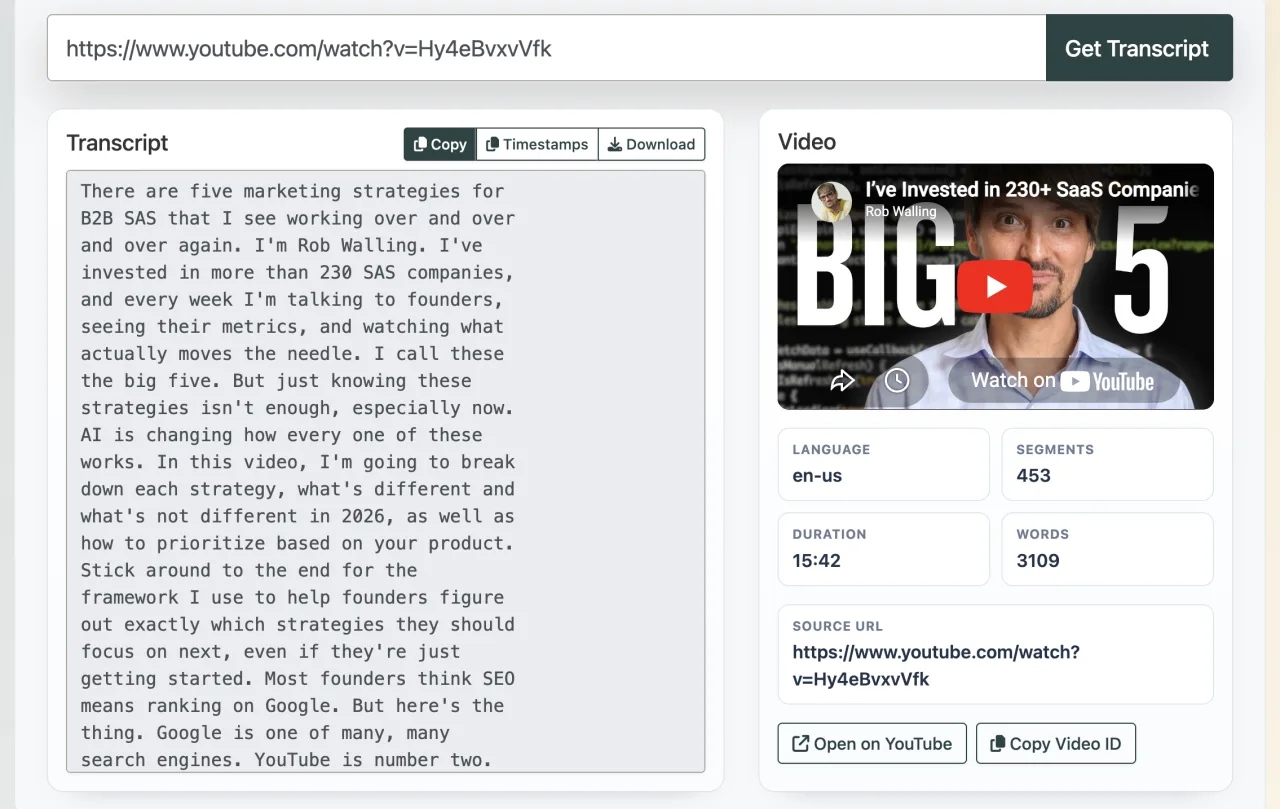
Copy the YouTube URL and paste it into the T.LY YouTube Transcript Extractor.
The tool pulls the public caption track from the video and turns it into clean, timestamped text. You can copy the transcript or download it as a .txt file.
This is where the time savings start. Instead of rewatching a 30-minute video to find one idea, you can search the transcript in a few seconds. If a timestamp looks important, jump back to that exact part of the video and watch only that section.
One note: this works when the video has public captions available. Some videos do not. In that case, try another video or use YouTube's built-in transcript if it is available.
Step 3: Paste the transcript into ChatGPT or Codex
Open ChatGPT, Codex, or whatever AI tool fits the job and paste the transcript. You can start with a basic summary, but that is the least interesting use.
The better move is to ask it to apply the ideas to your exact situation.
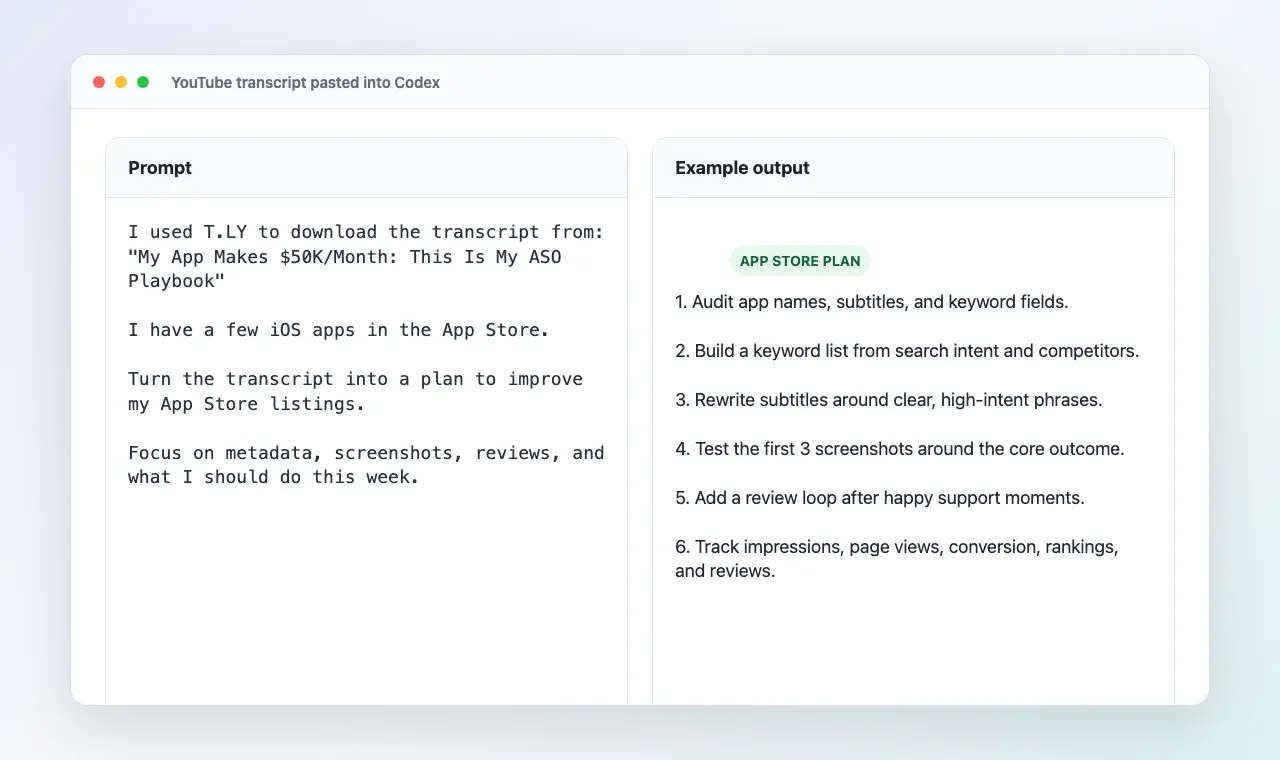
For example, I might use this video: My App Makes $50K/Month: This Is My ASO Playbook.
I would paste the YouTube URL into the T.LY transcript tool, copy the transcript, then give it to Codex with a prompt like this:
I pasted the transcript from this YouTube video:
"My App Makes $50K/Month: This Is My ASO Playbook"

I have a few iOS apps in the App Store.

Summarize the ASO lessons from the transcript, then turn them into a practical plan for improving my App Store listings.

Focus on:
- App name, subtitle, and keyword field
- Screenshot ideas and A/B tests
- Review and rating strategy
- What I should do this week
- What I should measure after the changes
That is much more useful than a generic summary. It connects the video to the thing you are actually working on.
Codex could turn the transcript into a plan like:
- Audit the app name, subtitle, and keyword field for each iOS app.
- Build a keyword list from App Store searches, competitors, and related user problems.
- Rewrite each subtitle around a clear search phrase instead of vague branding.
- Create a screenshot test where the first two screenshots explain the main outcome fast.
- Add a simple review loop after useful moments in the app and after helpful support replies.
- Track impressions, product page views, conversion rate, downloads, keyword rankings, and review volume.
That is the point. You are not asking AI, "What was this video about?" You are asking, "How do I use this today?"
Prompts I use
Here are a few prompts that work well after you paste in the transcript:
Summarize this transcript in plain English.

What are the 5 most useful ideas?

What did the speaker assume I already know?

Turn this into a step-by-step checklist.

Create a one-page cheat sheet from this transcript.

What should I ignore because it is too basic, outdated, or not relevant to me?

Apply this strategy to [my business / my project / my goal].

Give me 10 questions I should ask before using this advice.

Quiz me on the main ideas so I can see what I missed.

Turn this into an action plan I can finish in one week.
The best prompt is usually the one that adds context about you. Tell ChatGPT or Codex what you are building, what your constraints are, and what you are trying to get done.
Example: turn an ASO video into an App Store plan
Let's say you watch a video about App Store Optimization. The normal way is to watch it, nod along, and forget half of it by tomorrow.
With the transcript workflow, you can paste the transcript into Codex and ask:
Use this transcript to create an App Store improvement plan for my iOS apps.

Context:
- I have multiple iOS apps already published.
- I want more organic downloads from App Store search.
- I can update metadata, screenshots, support flows, and release notes.
- The plan should focus on changes I can ship or start this week.

Return:
- 10 ASO tasks ordered by impact
- Example app names, subtitles, and keyword ideas
- Screenshot concepts for the first 3 screenshots
- A review/rating improvement plan
- Metrics to check after 7, 14, and 30 days
- Things I should not waste time on yet
Now you are not just learning. You are converting the video into work you can actually use.
Example: learn a technical topic faster
This also works well for technical topics. If you are watching a video on database indexes, CSS grid, Laravel queues, or React performance, ask ChatGPT to slow down the parts the speaker rushed through.
Explain the hardest parts of this transcript like I am new to the topic.

Use small examples.

Call out any terms I should look up.

At the end, give me 5 practice tasks.
This is helpful because tutorials often skip the boring foundation. AI can point out the missing pieces before you waste an hour wondering why the lesson is not clicking.
Additional tips to learn even faster
A few small habits make this workflow a lot better.
Use more than one video
Do not treat one video as the source of truth. Grab transcripts from 2 or 3 strong videos and compare them. If the same idea keeps showing up, pay attention. If one person says something very different, verify it.
Ask for the assumptions
This is one of my favorite questions:
What does this speaker assume I already know?
That answer often explains why a video felt confusing.
Ask what to verify
Some videos are outdated. Some advice is too generic. Ask ChatGPT what needs to be checked before you trust it.
What claims in this transcript should I verify before acting on them?
This is especially important for SEO, legal, health, finance, coding libraries, and anything where the details change.
Save the best outputs
Do not save the full transcript unless you need it. Save the summary, checklist, questions, and action plan. That is the part you will actually use later.
A simple learning loop
Here is the workflow I keep coming back to:
- Find one good YouTube video
- Extract or download the transcript with T.LY
- Paste the transcript into ChatGPT or Codex
- Ask for a summary, assumptions, and action items
- Ask how the advice applies to your project
- Use one idea right away
The last step matters most. Learning gets sticky when you use it.
Should you build a tool to analyze an entire YouTube channel?
Maybe. If you keep researching the same creator, niche, or industry, a channel-level version of this would be useful.
Instead of extracting one transcript at a time, you could pull transcripts from an entire channel and turn them into a searchable knowledge base. Then you could ask bigger questions:
What topics does this channel talk about the most?

Summarize this creator's main ideas across their last 50 videos.

What opinions have changed over time?

What videos mention SEO, link building, or blogging?

What are the most repeated tips across the entire channel?

Create a beginner roadmap based on everything this channel teaches.
This could be useful for:
- Researching experts in a niche
- Studying competitors
- Learning from educators with large back catalogs
- Finding content gaps or repeated ideas
- Turning a channel into a searchable library
The hard part is volume. Large channels can have hundreds or thousands of videos. You would need to clean the transcripts, remove duplicates, handle missing captions, chunk the text, and keep the AI from getting overwhelmed.
Still, it is a great tool idea. A single transcript is useful. A full channel becomes a library.
Why this works so well
Videos are good for discovery. Transcripts are better for research. ChatGPT and Codex make the transcript interactive.
Instead of passively watching, you can ask questions, test your understanding, pull out examples, and apply the advice to your own work.
That is much faster than watching a 30-minute video and hoping you remember the useful parts later.
Final thoughts
If you want to learn faster, try this once:
- Find a good YouTube video
- Use the T.LY YouTube Transcript Extractor to copy or download the transcript
- Paste it into ChatGPT or Codex
- Ask how the ideas apply to what you are doing
It works for marketing, coding, business ideas, home projects, fitness, and just about anything else people explain on YouTube.
The transcript is the shortcut. The questions are where the learning happens.