Introducing Golf Swing Camera App
I built a new iPhone app called Golf Swing Camera.
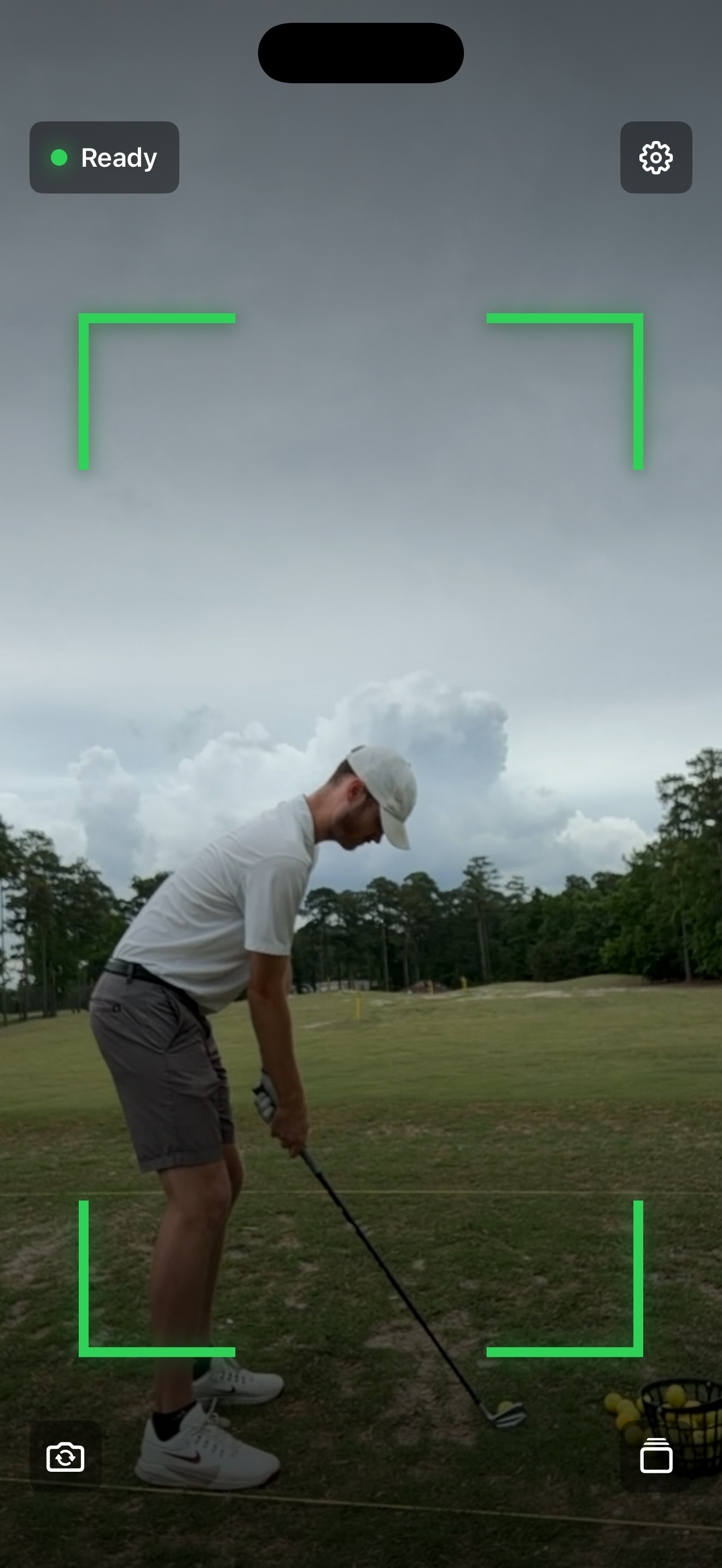
The idea is simple. Set up your phone, start a session, and swing. The app watches for motion, records the swing in slow motion, trims the clip around the swing, and saves it locally so you can review it right away.
Why I Built It
I wanted a better way to record swings without filling up my camera roll with a bunch of golf videos.
Before this app, my range workflow was annoying:
- Open the Camera app
- Switch to slow motion
- Hit record
- Walk back and swing
- Stop recording
- Trim the video down to the actual swing
- Review it
- Repeat the whole thing again
That works for a few swings. It gets old fast.
It also creates a storage problem. You end up with long videos where most of the clip is setup, walking, or dead time. Then your Photos library turns into a pile of almost-identical practice videos.
Golf Swing Camera fixes the part that bothered me most. It auto-records in slow motion and keeps the useful part of the clip. That saves storage, keeps practice moving, and makes it easier to share a swing without editing it first.
Video Plus Data
I think recording your golf swing plus using a launch monitor is one of the best ways to practice.
A launch monitor tells you what happened to the ball. Carry distance, launch angle, spin, club path, and the rest of the numbers give you feedback you cannot get by feel alone. I wrote more about that in my golf launch monitor review.
Video tells you what your body and club were actually doing.
Both matter. A swing can feel great and produce bad numbers. A swing can look a little strange and still work. When you can match the video to the launch monitor data, practice gets a lot more useful. You are not just guessing.
Coaching Features
Coach Review lets you record your voice while playing, pausing, and drawing over a saved swing, then send the player one video with your feedback. Manual recording is coming in version 2.7 for coaches who want to choose when filming starts and stops.
I added a step-by-step guide with screenshots covering both workflows.
What The App Does Now
Right now Golf Swing Camera is focused on capture and review.
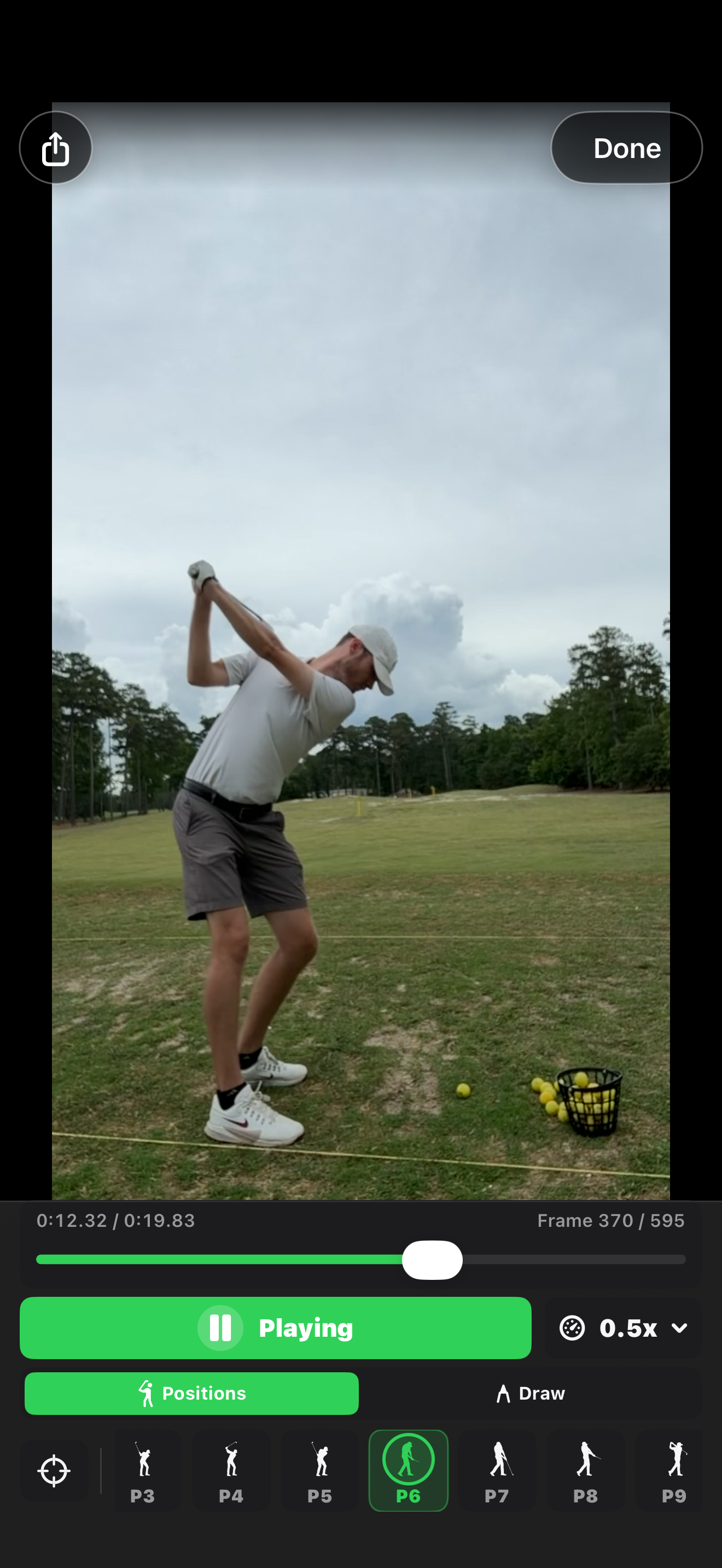
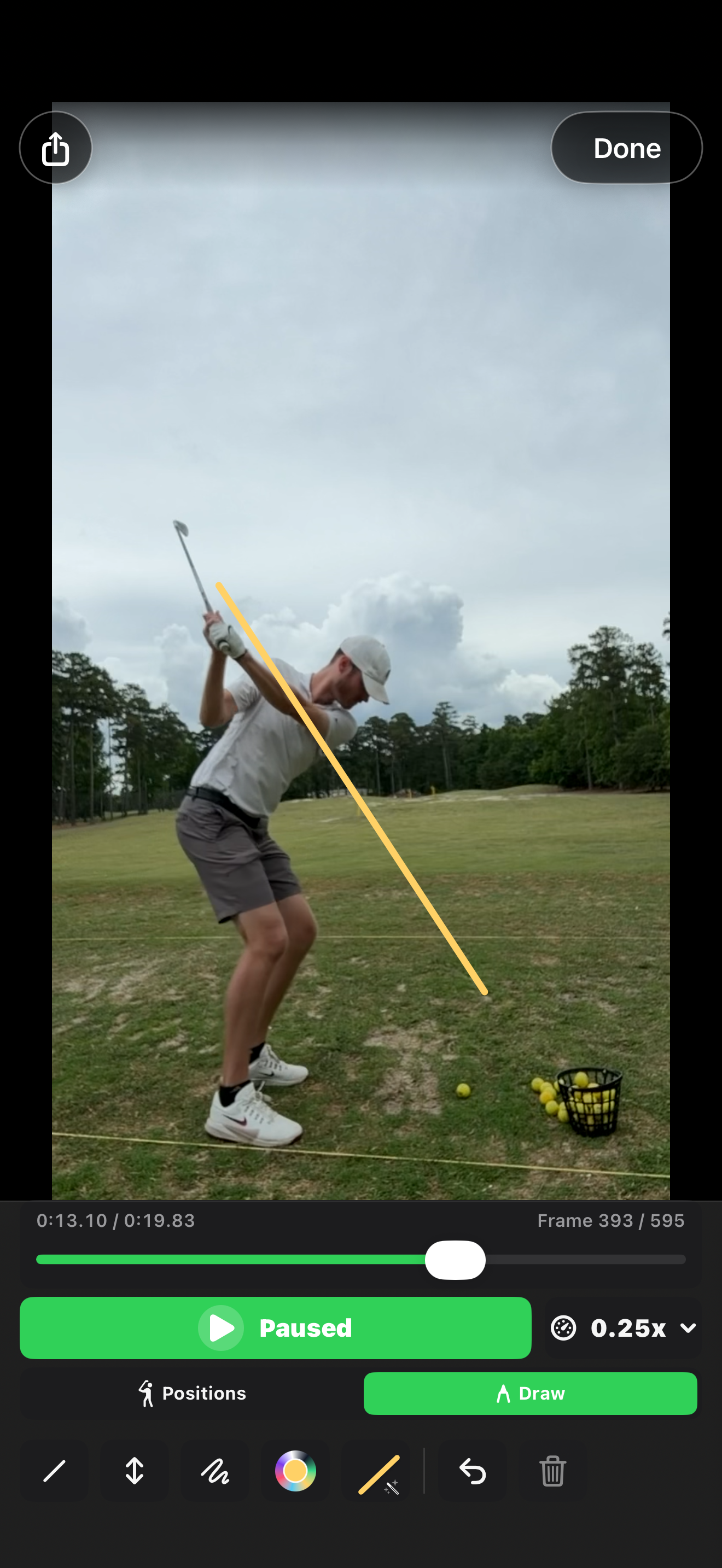
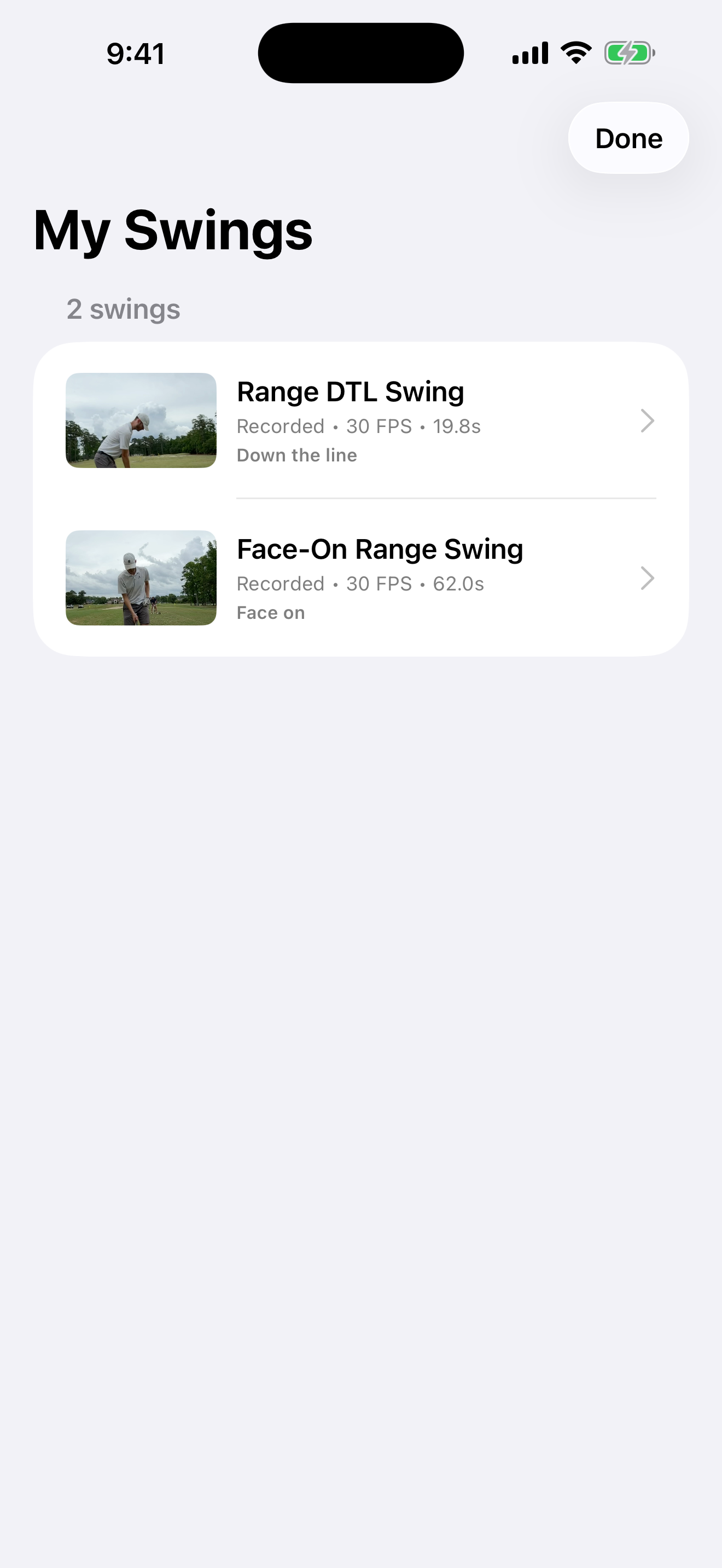
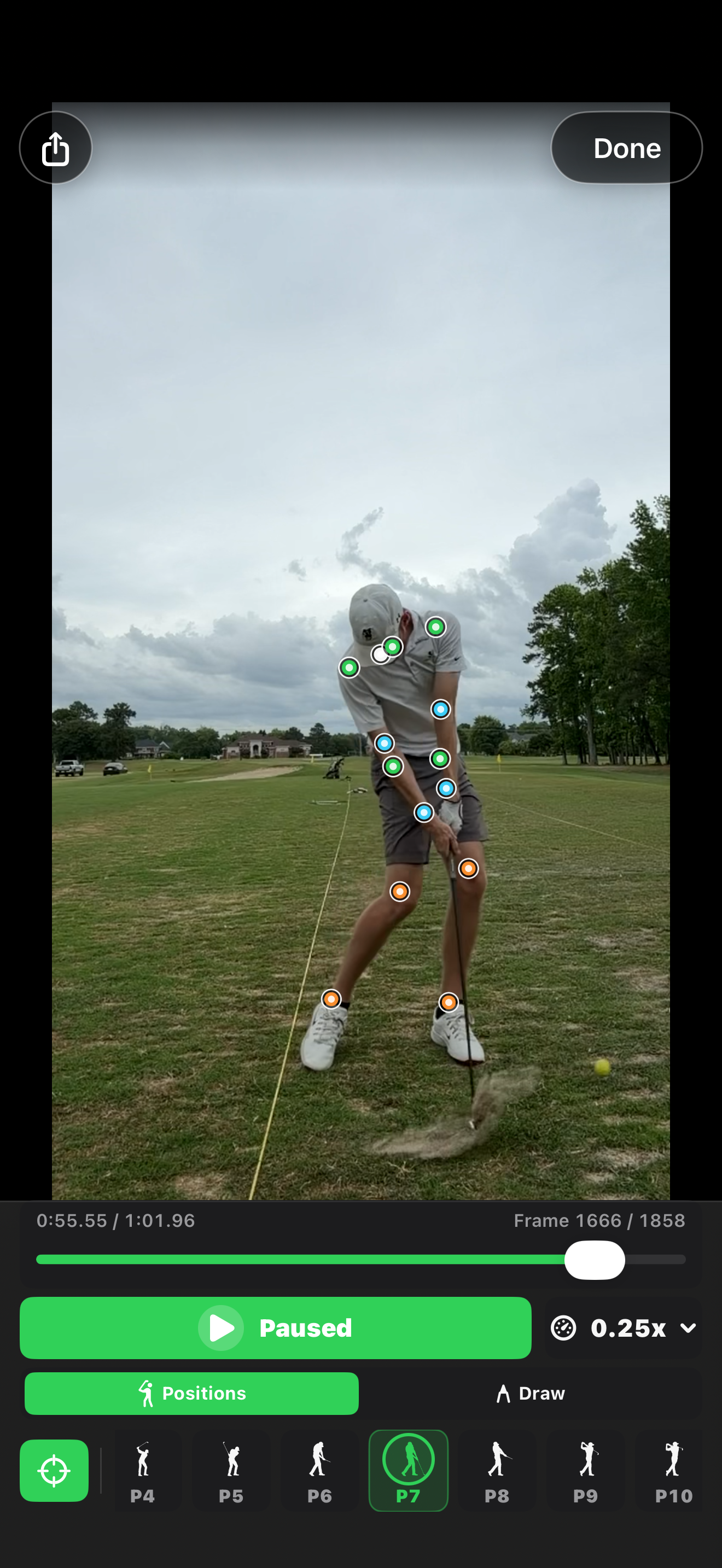
It can auto-record swings, save them in a local library, play clips back in slow motion, step through frames, add markers, draw lines, import existing videos, and share clips.
The goal is not to replace a coach. At least not today. The goal is to remove the friction from recording swings so you actually do it more often.
Here are the other main screens:
Keeping It Free
My plan is to keep the app free.
I built it because I wanted it for my own practice, and I figured other golfers might want the same thing. I am open to monetizing it later if there is a good reason, but I do not want to make the basic recording workflow annoying.
Possible ideas could be paid advanced features, AI swing tips, or partnerships with golf coaches who can give feedback through the app. I am especially interested in real-time or near real-time coaching feedback, but only if it is actually useful. Golf already has enough gadgets that promise too much.
For now, it is a simple app for recording swings without wrecking your camera roll.
You can install it here: Golf Swing Camera on the App Store.
For reviewing your saved clips on a bigger screen, I also built a free browser-based Golf Swing Analyzer.