Introducing TextEach: Text a Group Without the Group Chat
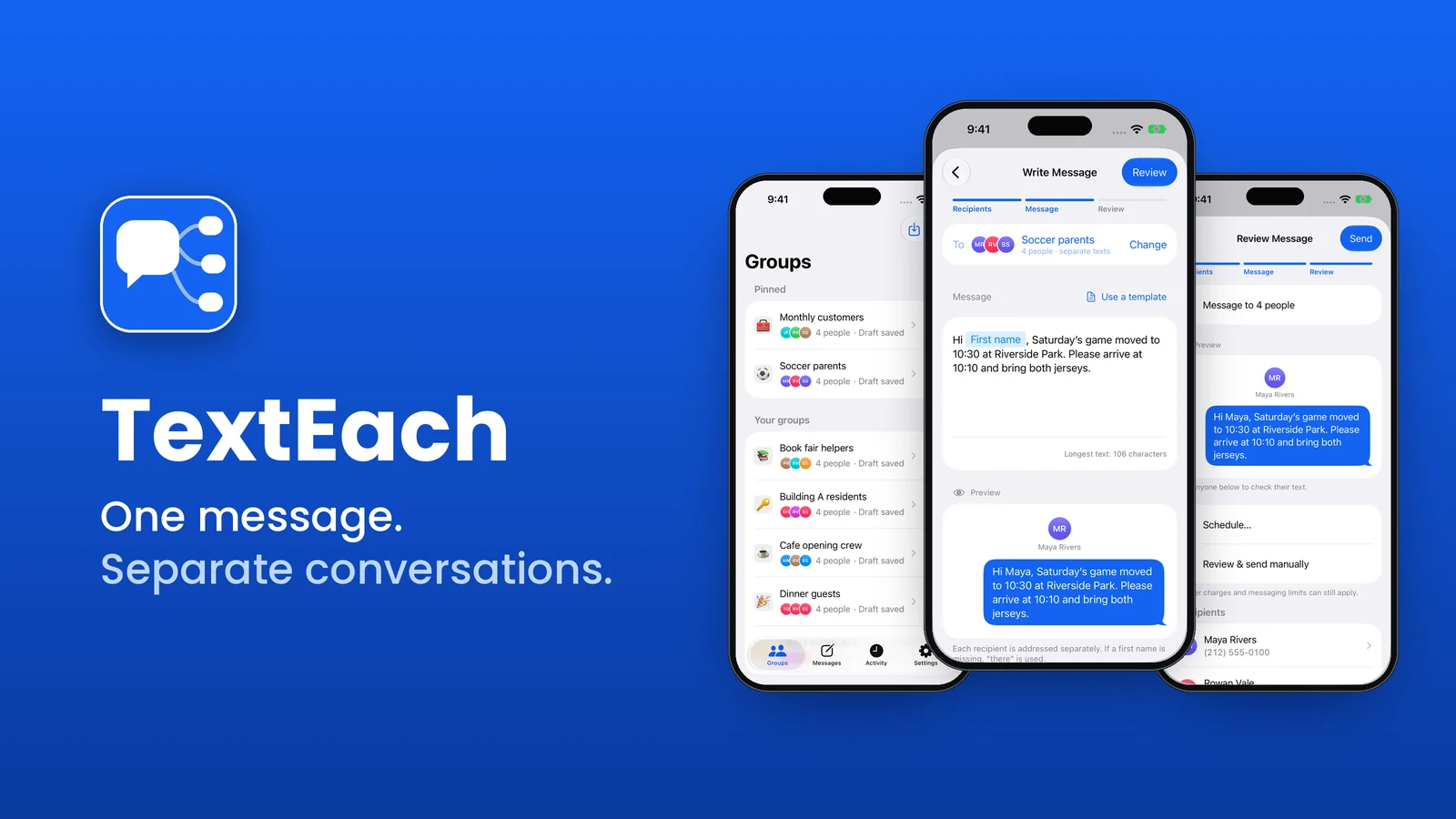
I built a new iPhone app called TextEach.
You write one message. Each person in your group gets their own text, with their name in it. No group chat. When someone replies, it shows up in Messages like any other conversation with you.

Why I Built It
Group texts are great for close friends. For almost everything else, they’re a mess.
Text 15 parents that the game moved and you get a wall of thumbs-up reactions, a couple of side conversations, and a question about carpools that now goes to everyone. Someone mutes it. Someone leaves. Everyone on the thread can see everyone else’s number.
The other option is copying and pasting the same message to each person. That works, but it’s slow. It’s also easy to miss someone or send “Hi Sarah” to Mike.
I wanted something in between. Write it once, send it one person at a time, and keep the replies private. That’s TextEach.
How It Works
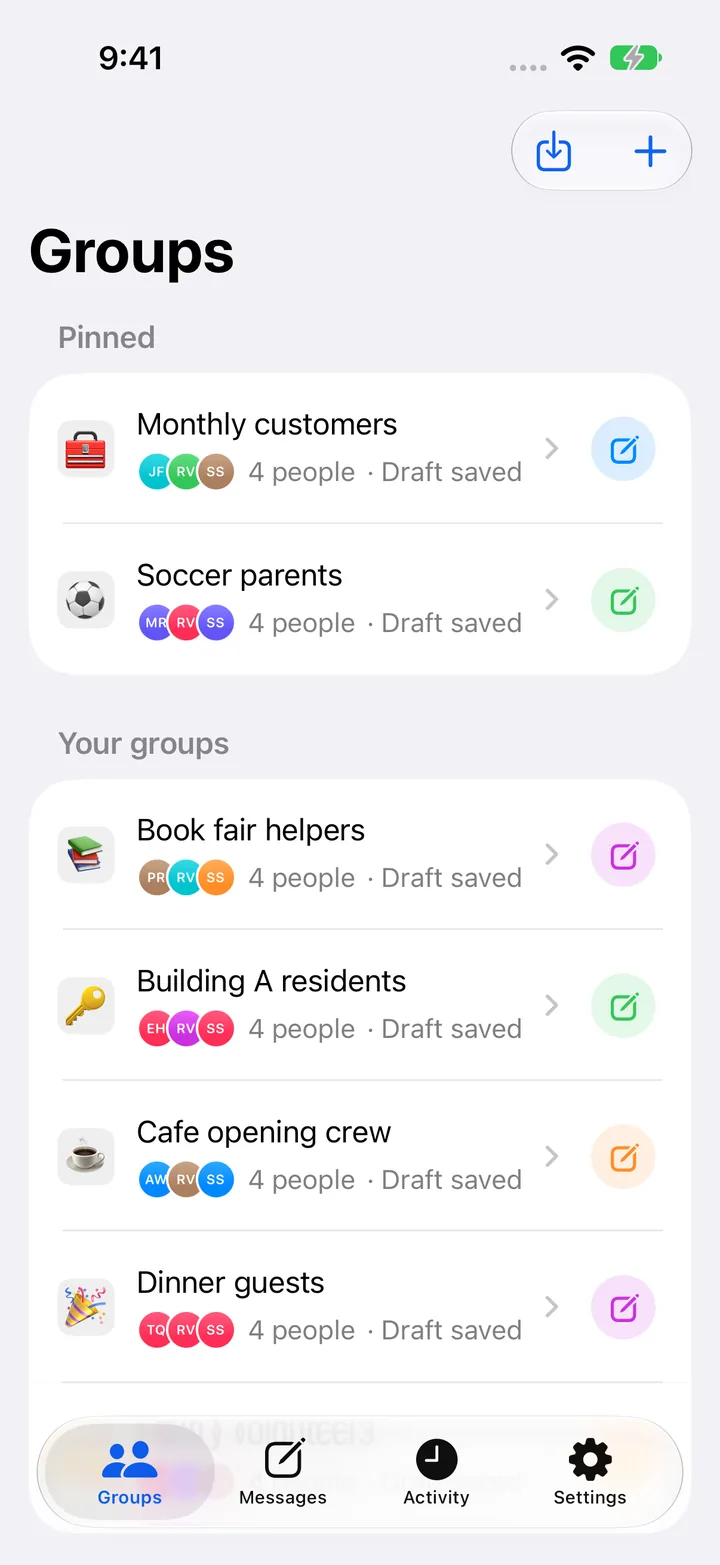
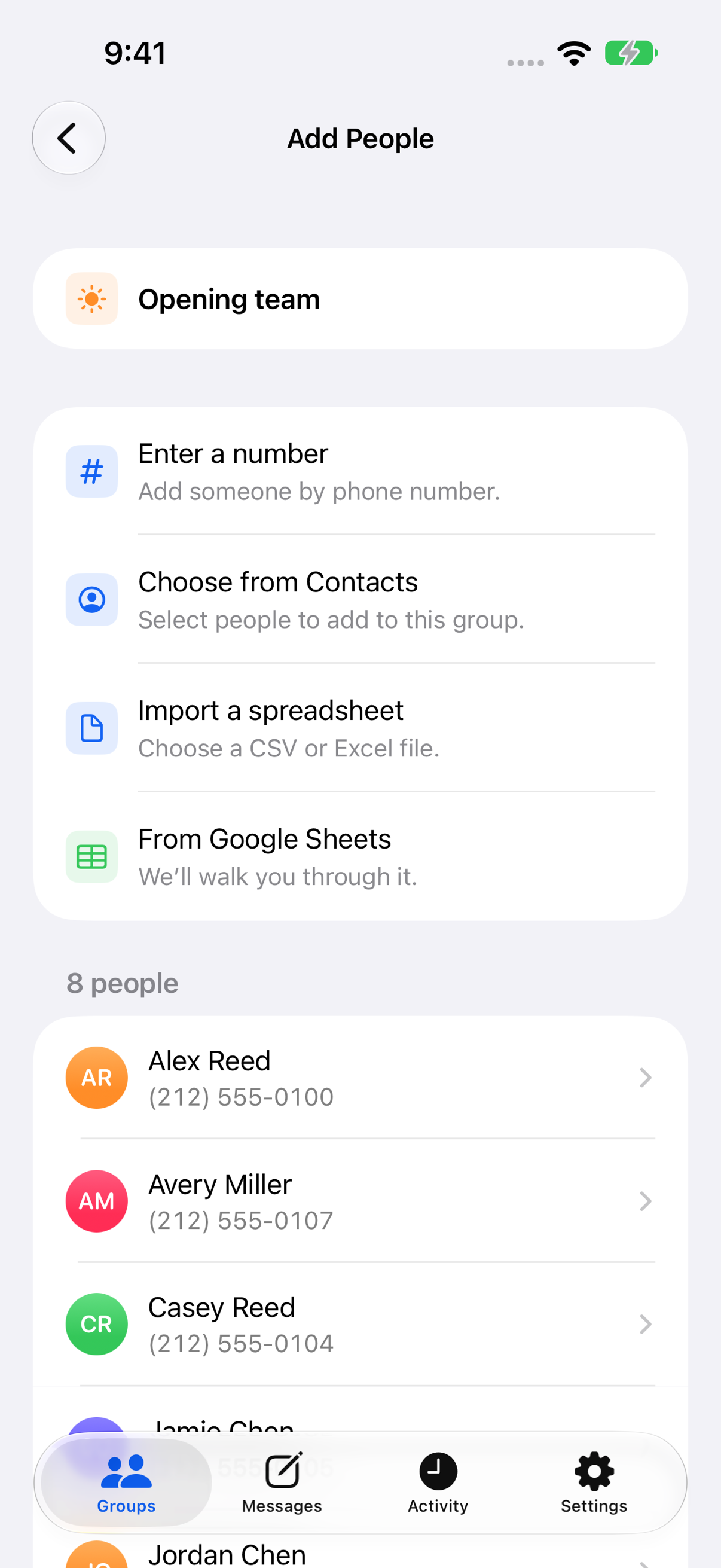
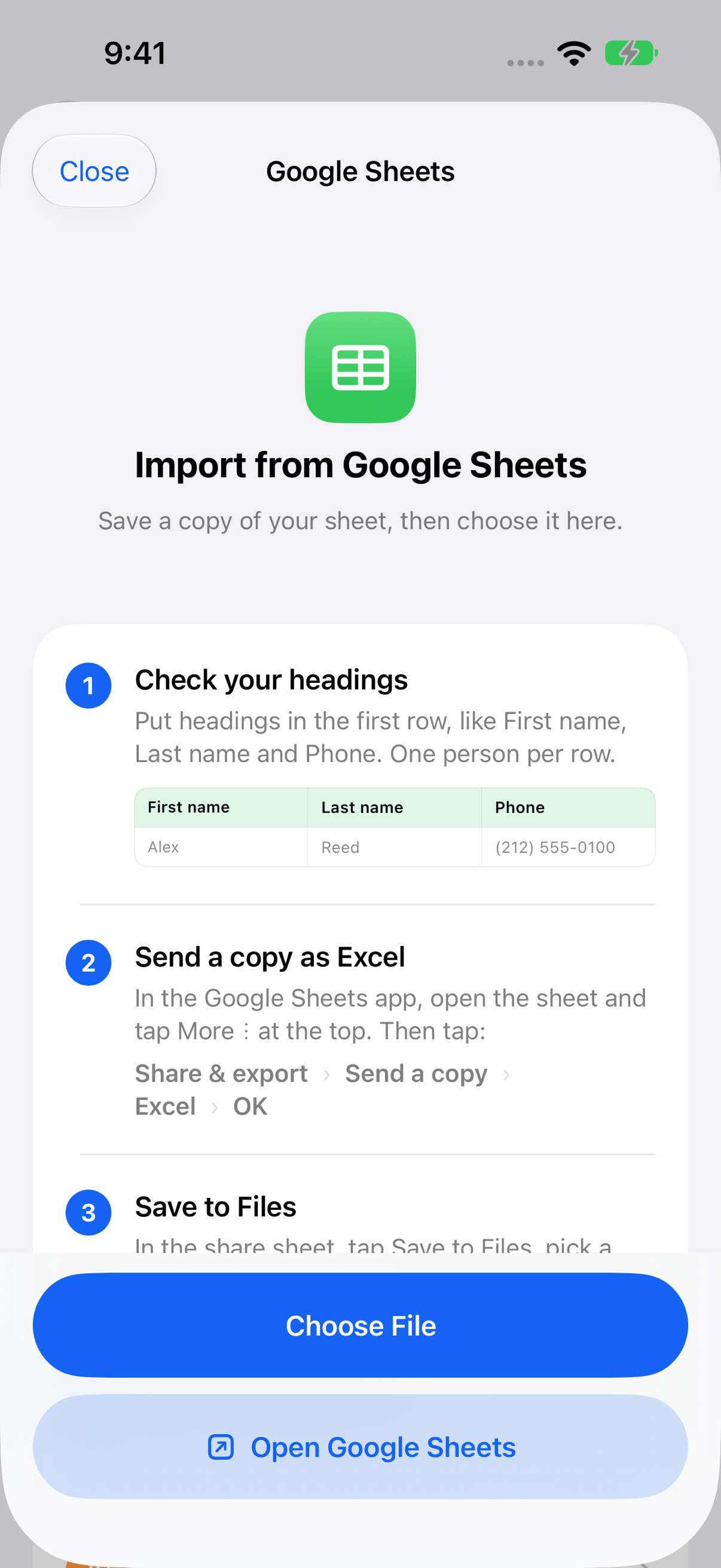
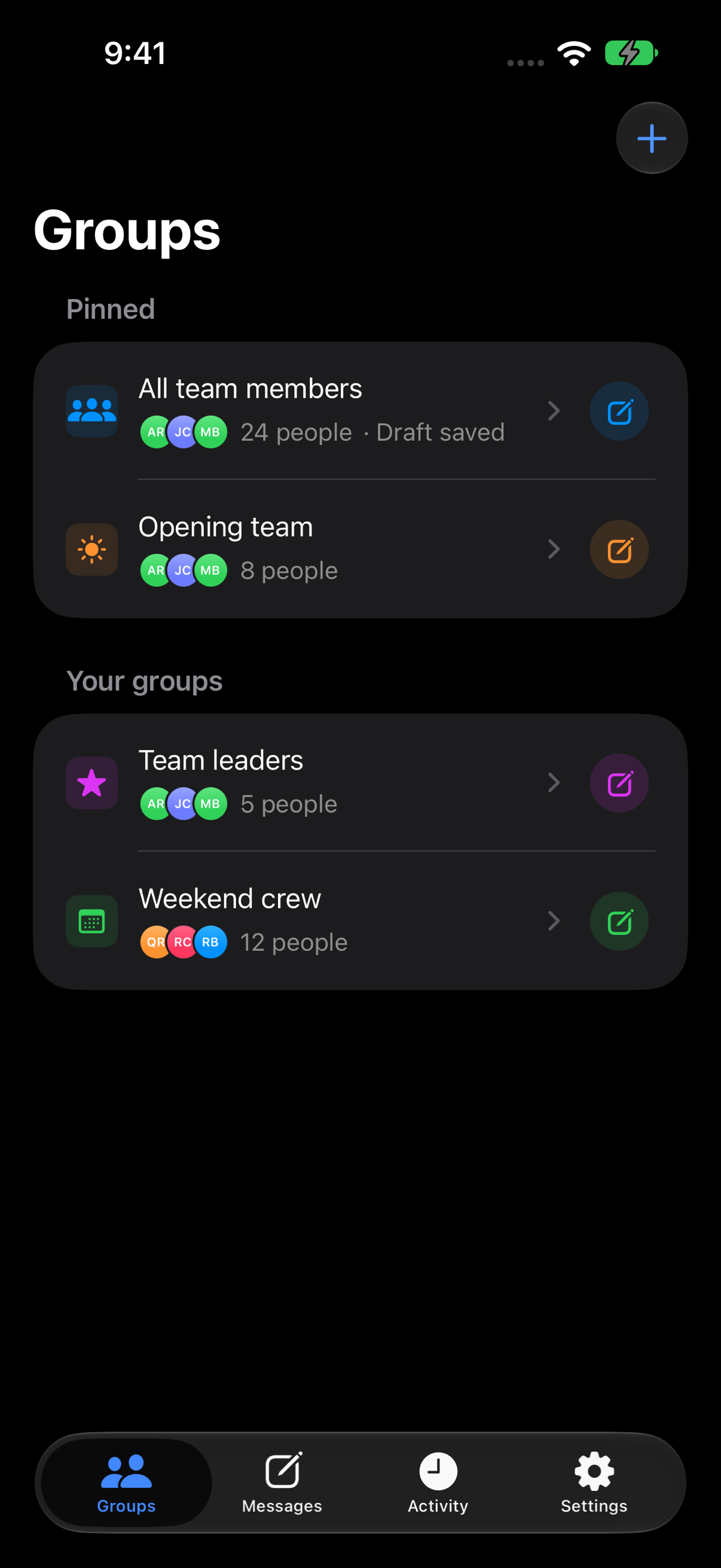
- Save your people. Type in numbers, pick people from Contacts, or import a list from Google Sheets, CSV, or Excel.
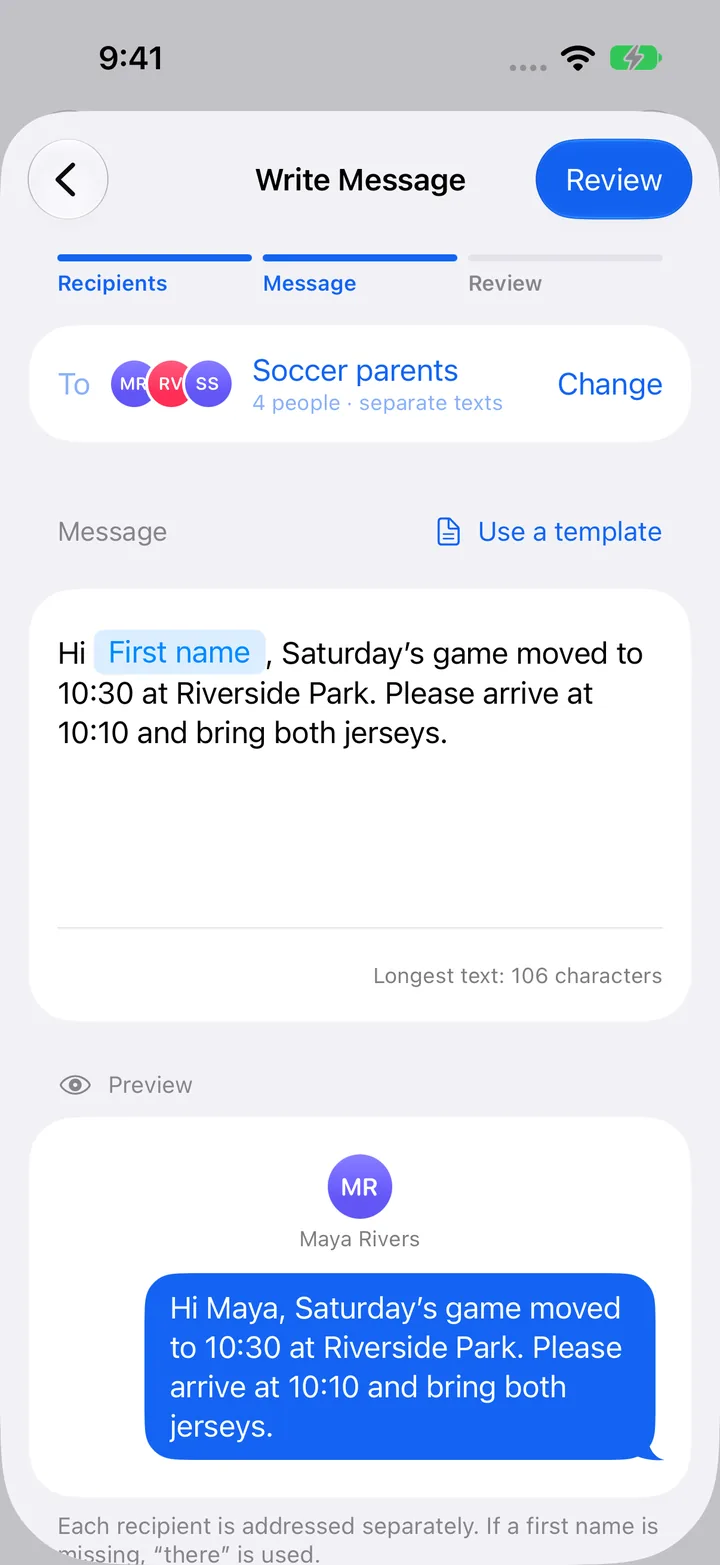
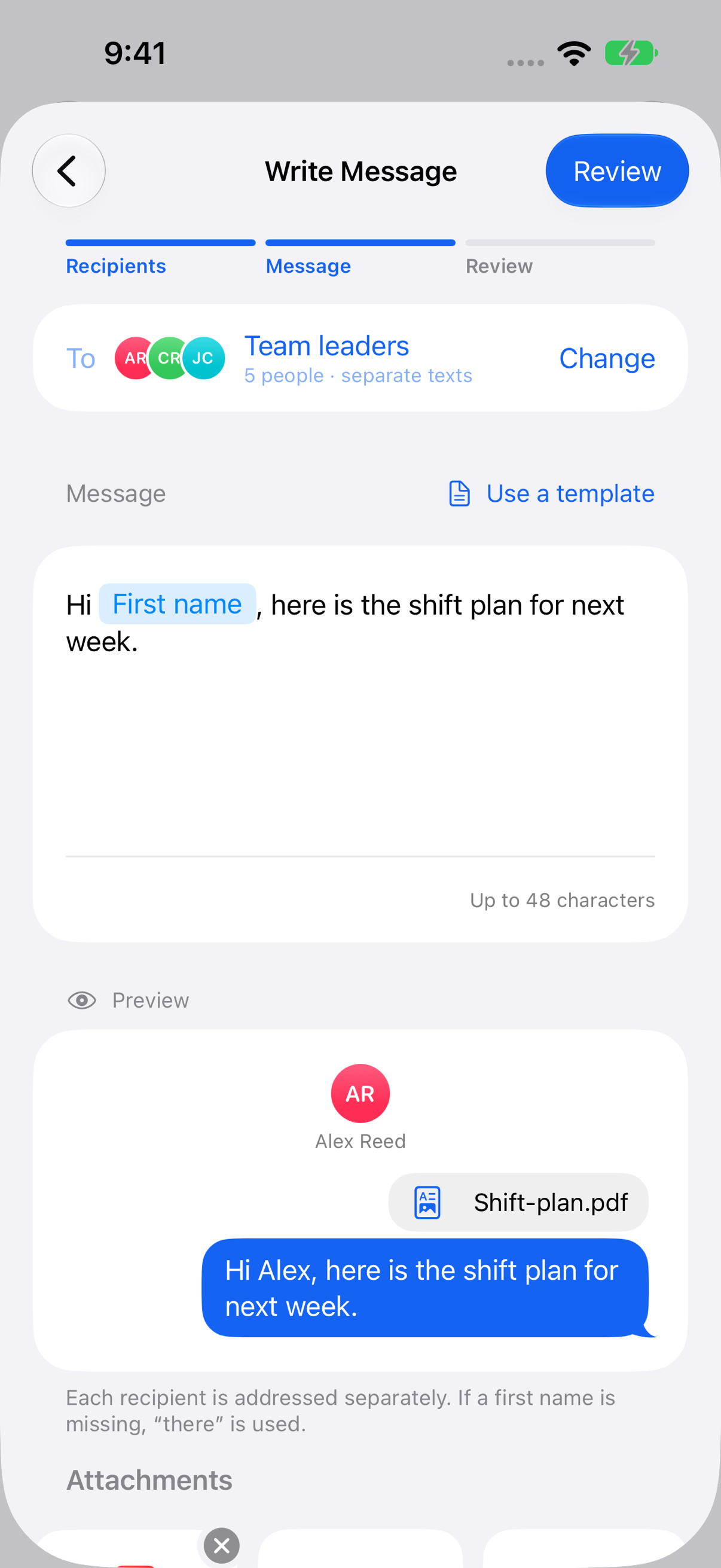
- Write your message. Tap First name to drop in each person’s name. Save it as a template if you send the same kind of thing every week.
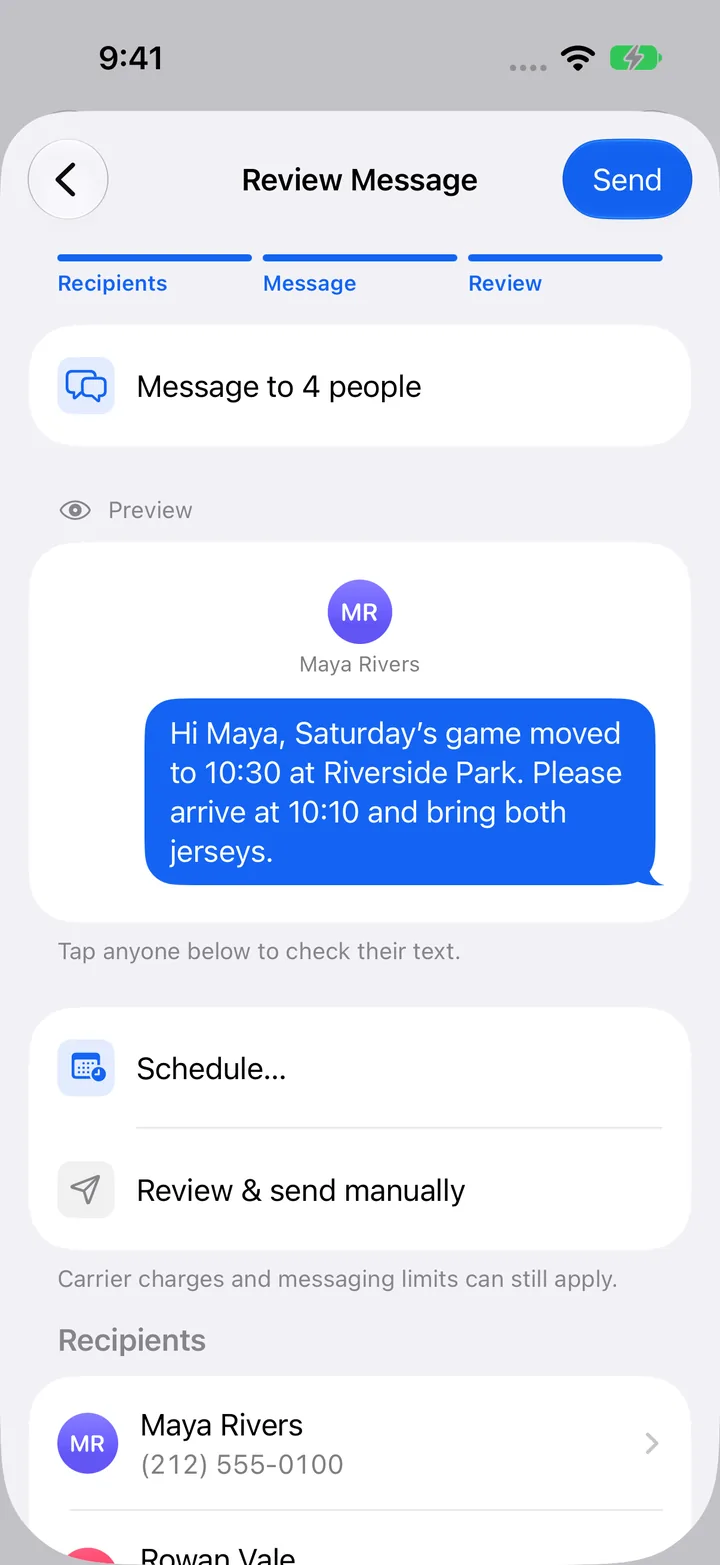
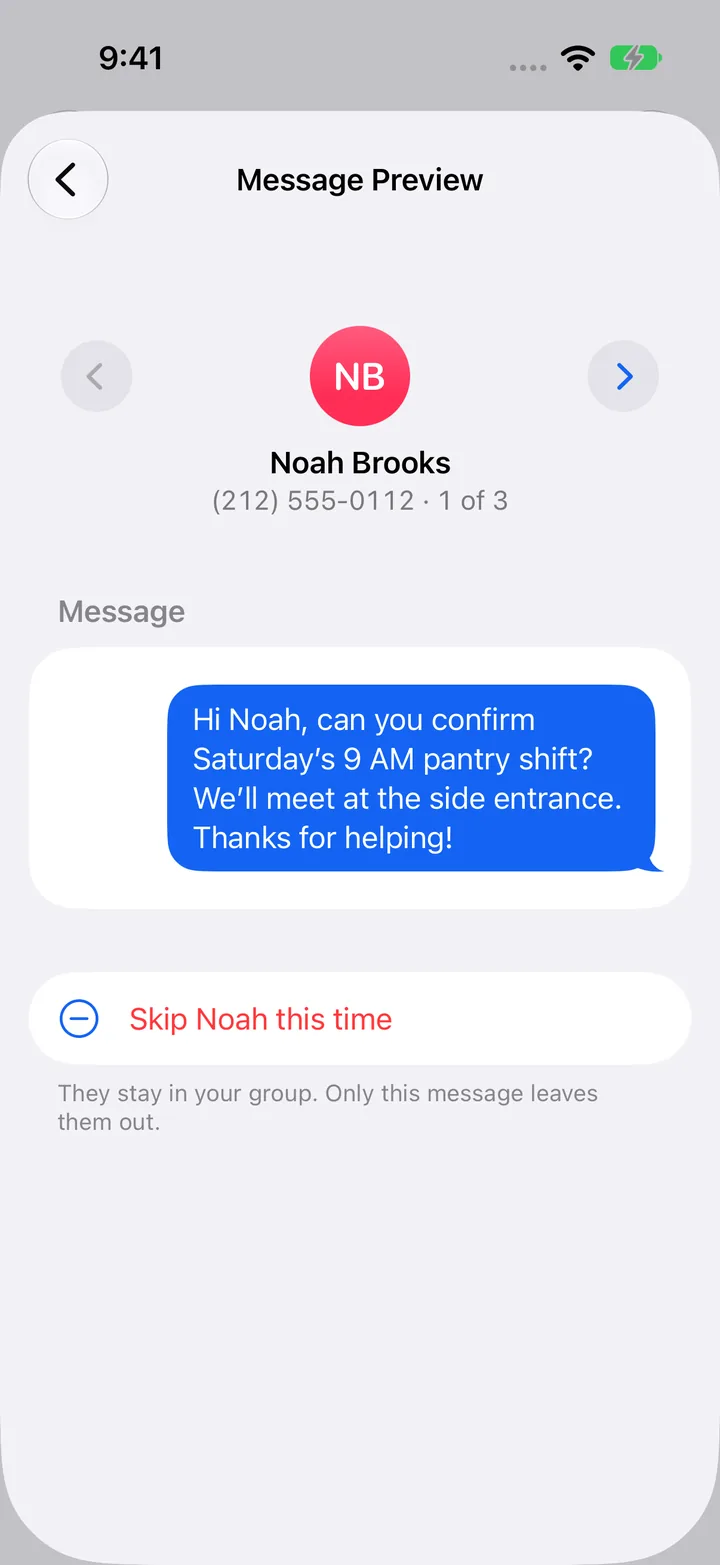
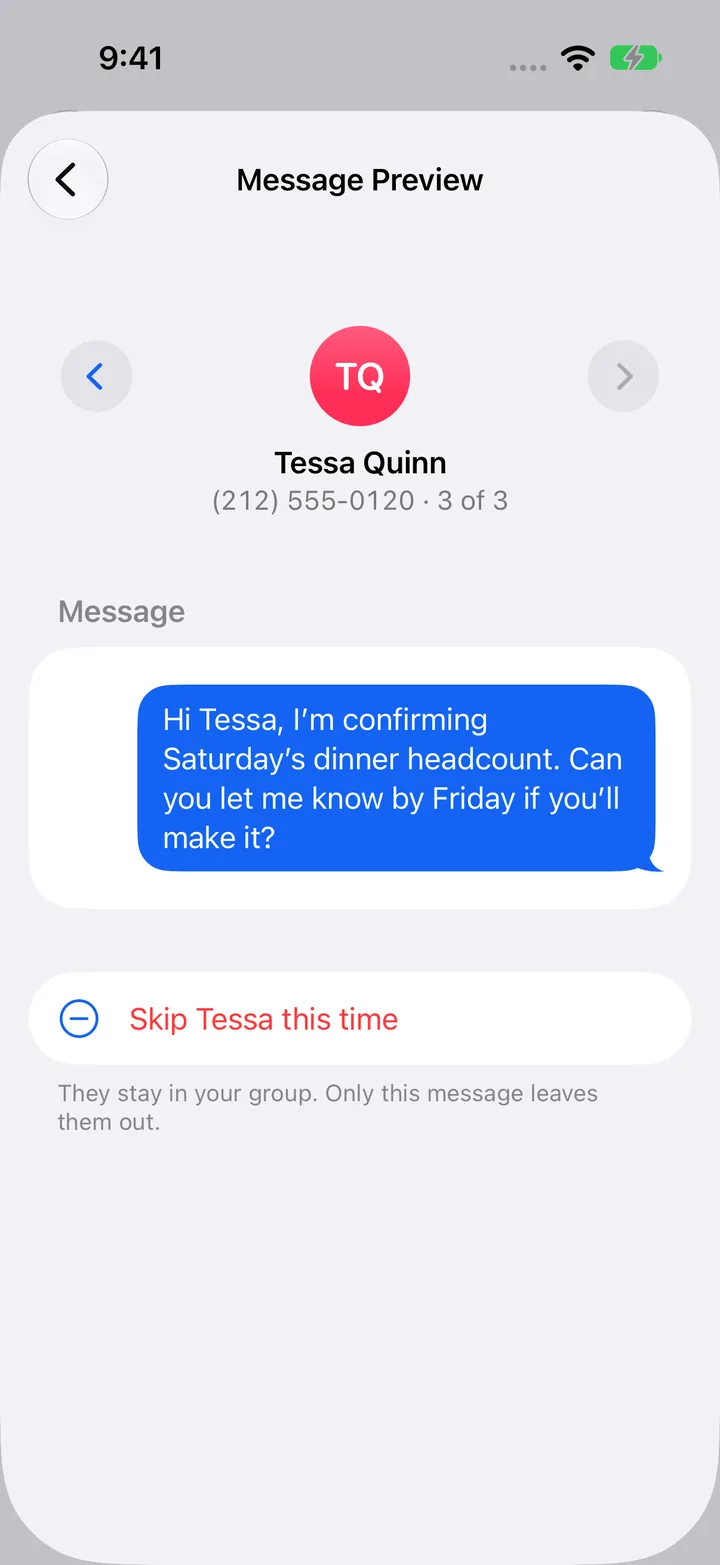
- Review and send. Flip through each person’s text before it goes out. Skip anyone for this send. They stay in the group.
There are two ways to send. Manual opens a Messages composer for each person and you tap send. Automatic uses Apple Shortcuts. Set it up once and TextEach sends the batch for you, right now or on a schedule.
Texts go out through Messages on your iPhone, so they come from you. The people getting them don’t need the app. iPhone or Android, it’s a normal text.
Who It’s For
I kept coming up with more uses while building it. Anyone who texts the same group of people about the same kinds of things. Here are a few:
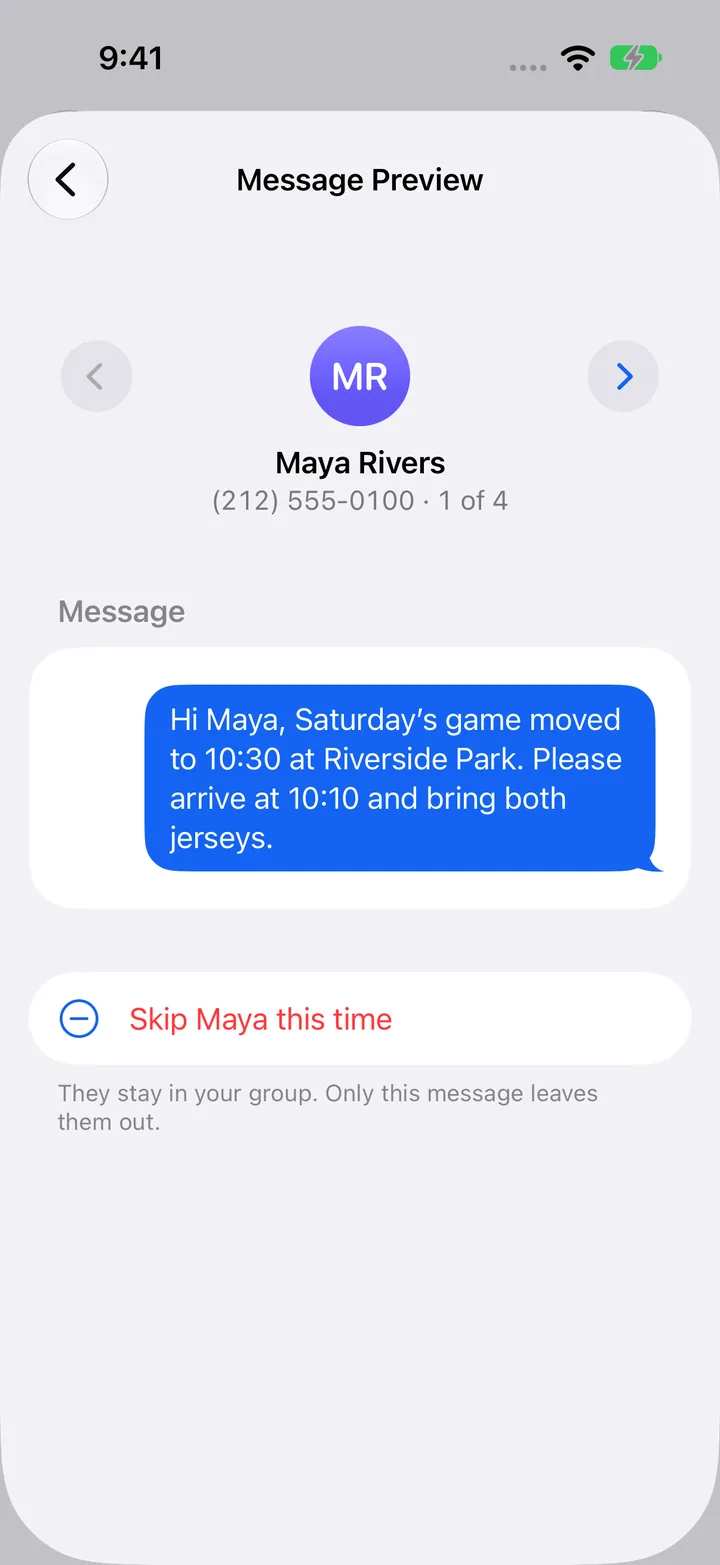
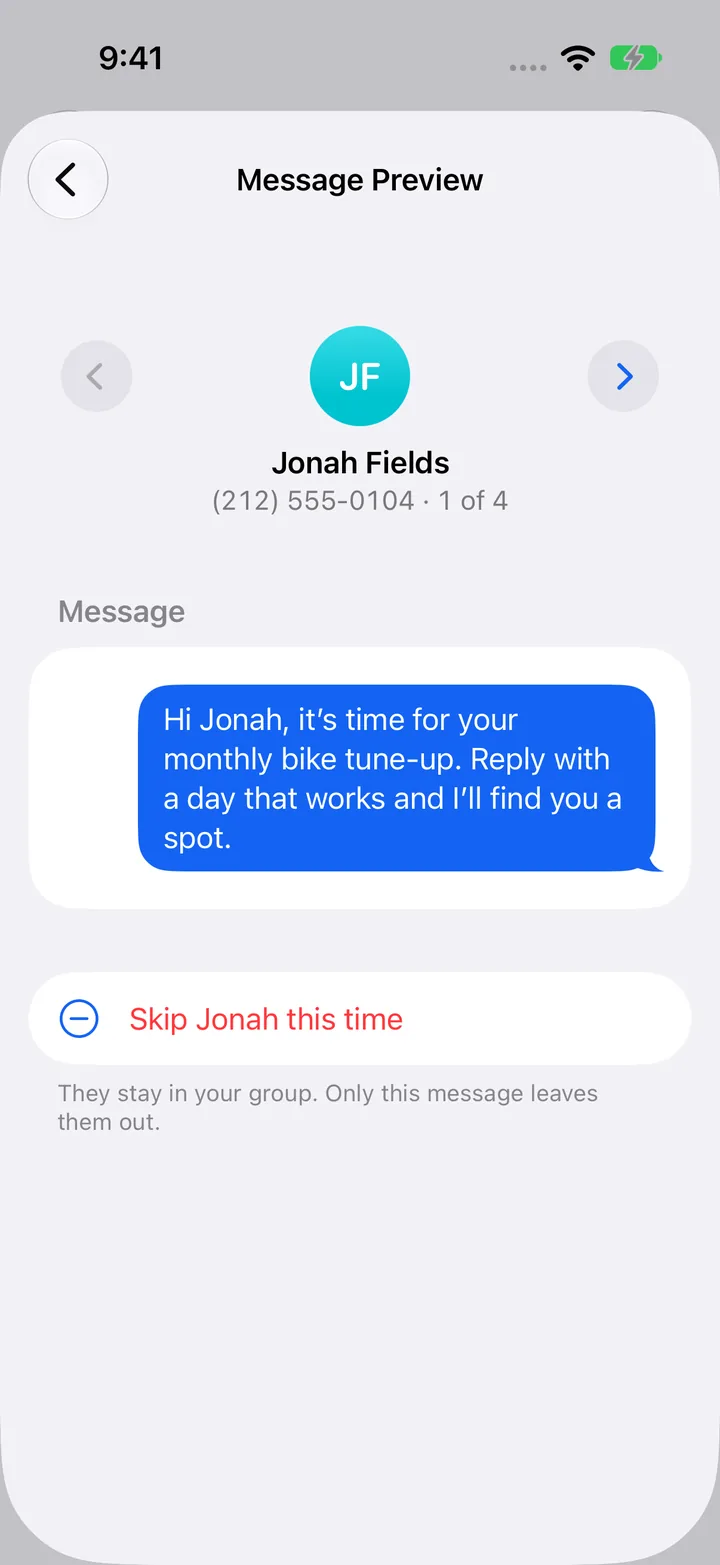
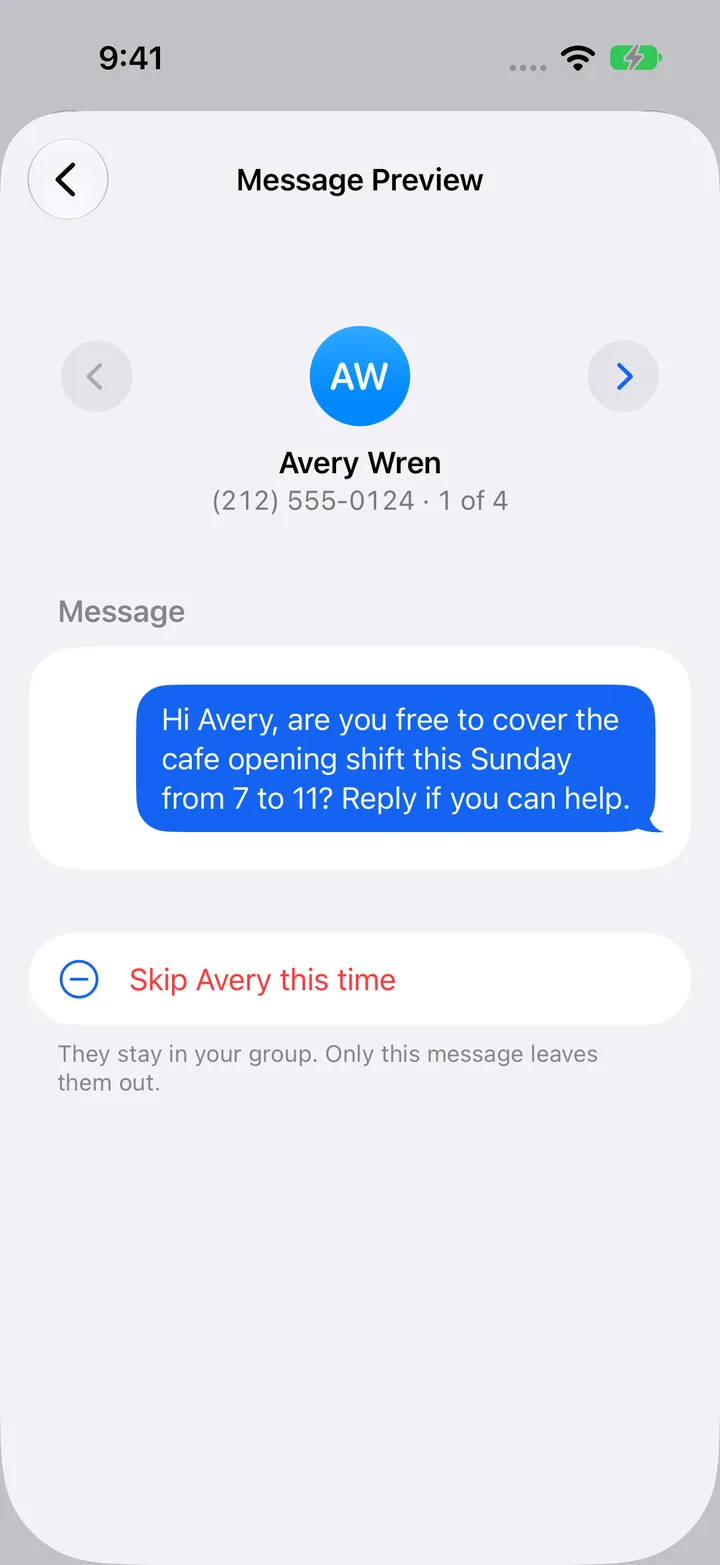
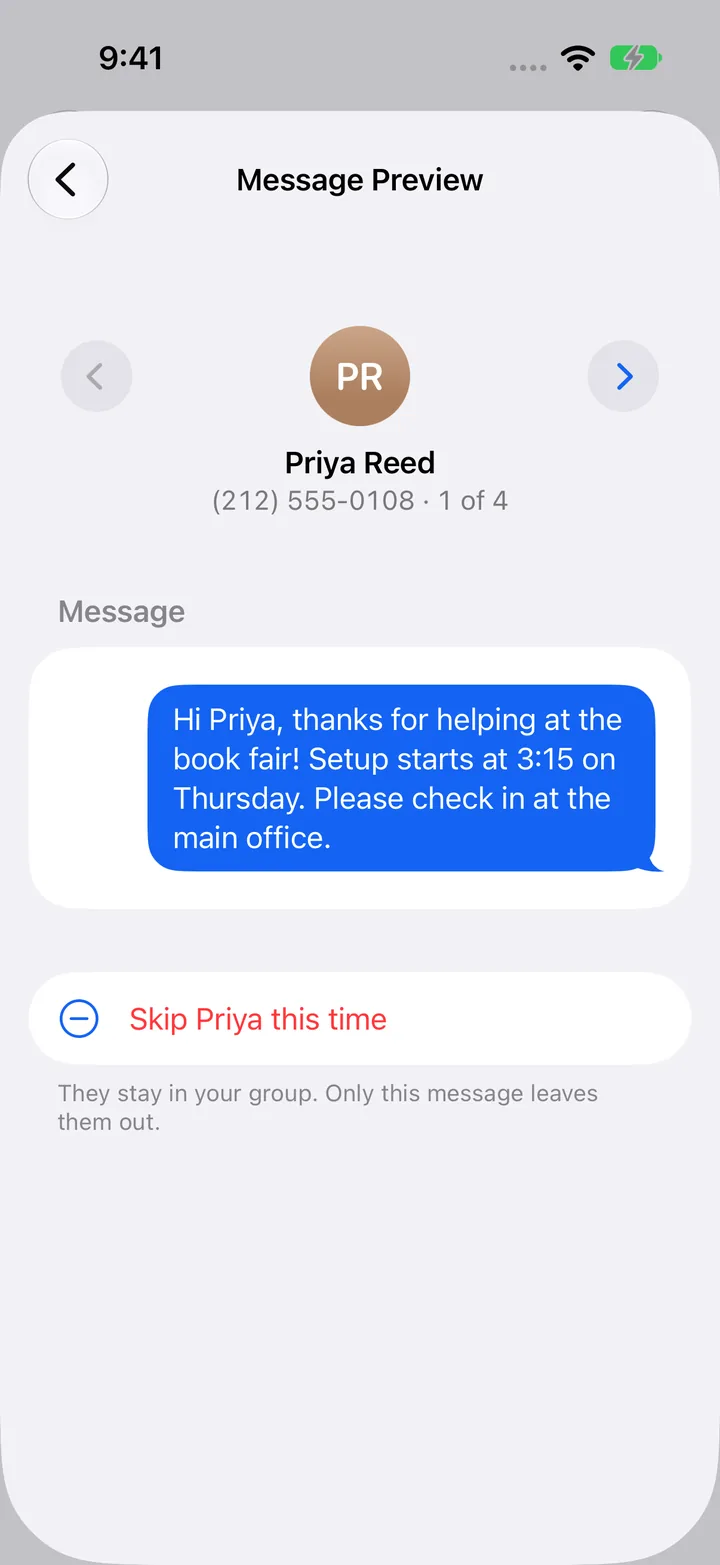
Same idea works for church small groups, clubs, coaches, landlords with a building of tenants, or a family reunion. If you’d normally start a group text and then regret it, this is for you.
Bring Your List With You
Nobody wants to type in 40 phone numbers.
Paste a Google Sheets link, pick a CSV or Excel file, choose specific people from Contacts, or type numbers in. You see the list before anything is saved. If someone is in two groups and you text both, they only get one text.
TextEach never asks for your whole address book. It only saves the people you add.
Photos, PDFs, and Templates
Attach up to 10 photos or files. A shift schedule, a flyer, a map to the field. You can preview a PDF before it goes out.
If you send the same message every week, save it as a template and start from that next time.
File support depends on Messages and the other person’s phone. With automatic sending, the attachment and the text go as separate messages.
Private by Default
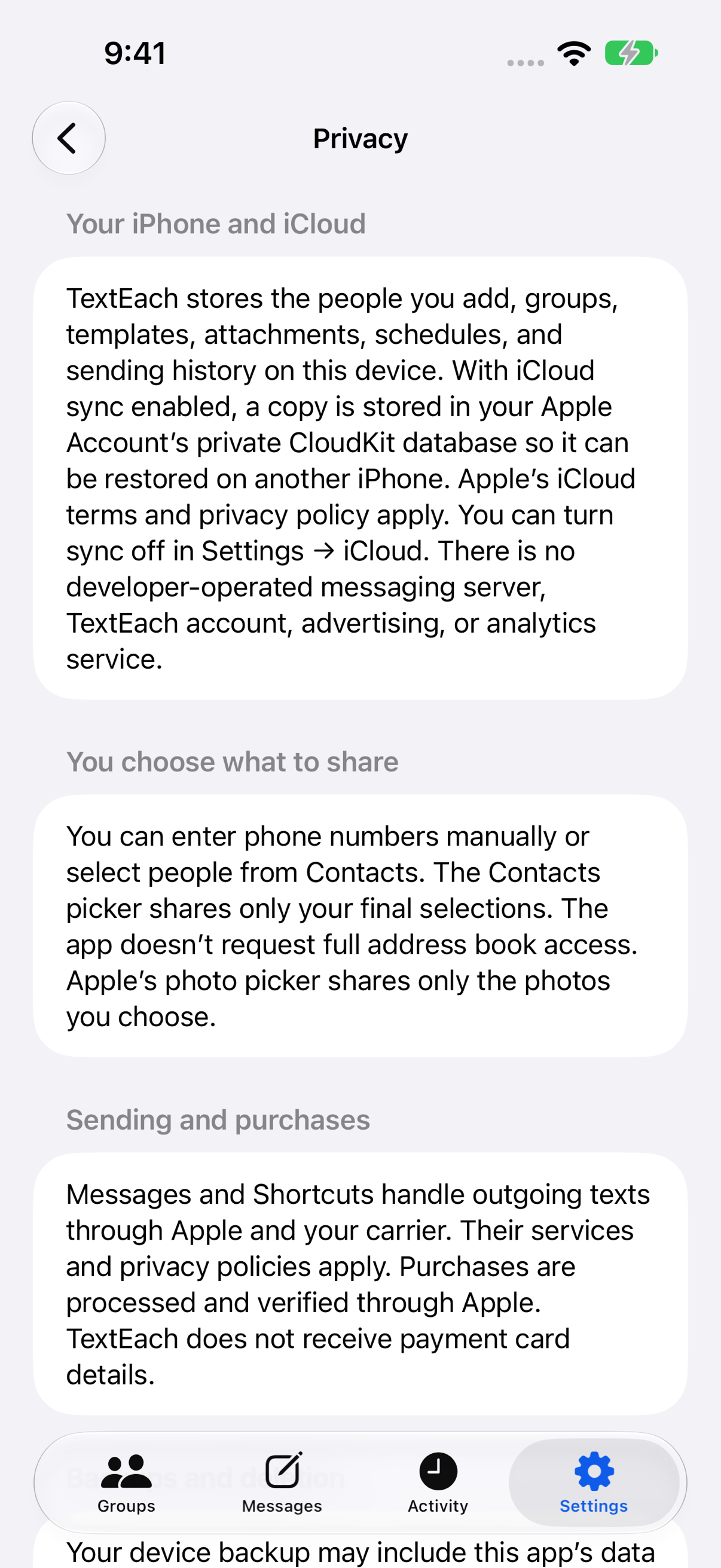
I don’t want your contacts, and I didn’t build a way to get them.
- No account. Nothing to sign up for.
- No ads, no analytics, and no TextEach server in the middle. Texts go out through Messages on your phone.
- Your groups and messages stay on your iPhone, with private iCloud sync through your Apple Account. You can turn that off in Settings.
- TextEach doesn’t read your replies or your message history.
It also looks like a normal iPhone app. Dark mode works, and so do larger text sizes.
Free to Start
The free version is not a trial. It doesn’t expire.
Free
- Unlimited groups
- Manual sends to up to 5 people at a time
- 15 automatic texts total, sent now or scheduled once
- Names, templates, photos, and files
- Google Sheets, CSV, and Excel import
- iCloud sync and backups
Pro
- Everything in Free
- Keep sending automatically
- Recurring schedules: daily, weekly, monthly, and more
- Manual sends to as many people as you want
- Monthly, yearly, or a one-time lifetime purchase
Try it with a small group first. If it saves you time every week, Pro is there. If you’d rather pay once, there’s a lifetime option.
Questions I Get
Does everyone end up in one group chat?
No. Each person gets a separate text. Replies come back to you only. Nobody sees anyone else’s number.
Does it send from my phone number?
Yes. TextEach hands each text to Messages on your iPhone, so it comes from you, the same as any text you send. There’s no rented number. Your carrier’s normal charges and limits still apply.
Can I text people who have Android phones?
Yes. They get a regular text and reply in whatever app they use. Only you need TextEach.
Do I have to give it access to all my contacts?
No. You can type in numbers, pick specific people, or import a spreadsheet. TextEach only keeps the people you add.
How is this different from just using BCC or a group text?
iPhone doesn’t have BCC for texts. A group text puts everyone in one thread. TextEach sends one text per person, with their name in it, and every reply is its own conversation.
Can I schedule a text?
Yes. One-time automatic schedules come out of your 15 free automatic texts. Recurring schedules need Pro. Automatic sending uses Apple Shortcuts, and iOS decides exactly when it runs, so a message can go out a little late. Do a test send with your phone unlocked before you rely on it.
Is this for marketing blasts?
No. It’s built for people who already know you and expect to hear from you: your team, your customers, your volunteers. It doesn’t handle opt-outs like STOP. If you need that, use a real SMS marketing service.
What do I need to run it?
An iPhone on iOS 18 or later.
More setup help, with screenshots, is in the TextEach guides and on the support page.
What’s Next
The next update is already with Apple. It lets you share a list straight from the Contacts app into TextEach to make a group.
After that, I want to hear what you need. If you try it, email me at [email protected] and tell me what you used it for and what got in the way. That’s how I decide what to build next.