Speed Up Key Presses (macOS)
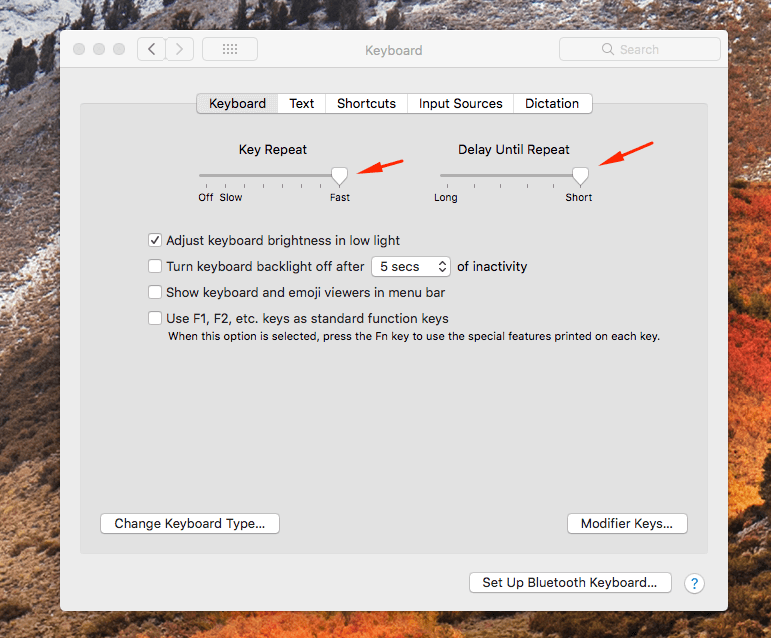
A recent episode of Syntax, the podcast about web development from Wes Bos and Scott Tolinski, a tip was mentioned on speeding up key presses on macOS. I have always been annoyed at how slow the cursor moves when navigating a large text file. After a simple change in the keyboard settings, I’m much happier with the speed of the cursor. It makes navigation large files much easier. If you are a developer, I would highly recommend making these changes.
If this is not fast enough for you, you can manually set them with these 2 commands(source)
defaults write -g InitialKeyRepeat -int 10 # default minimum is 15 (225 ms)
defaults write -g KeyRepeat -int 1 # default minimum is 2 (30 ms)
Let me know if this helps you. Leave a comment below.
If holding down a letter brings up accents instead of repeating it, see how to enable repeating keys in macOS.