Weather Extension 2026 Refresh

I built the first version of Weather Extension in 2015 because I wanted to check the weather without opening another website. Eleven years later, I still want the same thing: the temperature in my toolbar and a useful forecast one click away.
I’ve been giving Weather a refresh. The forecast has a cleaner layout, there are more ways to make it your own, and Pro has a few new tools for planning your day. I’ve also made it much easier to get Pro for free.
This is a preview of Weather Extension 6.0.32.
A Clearer Forecast, With Your Choice of Style
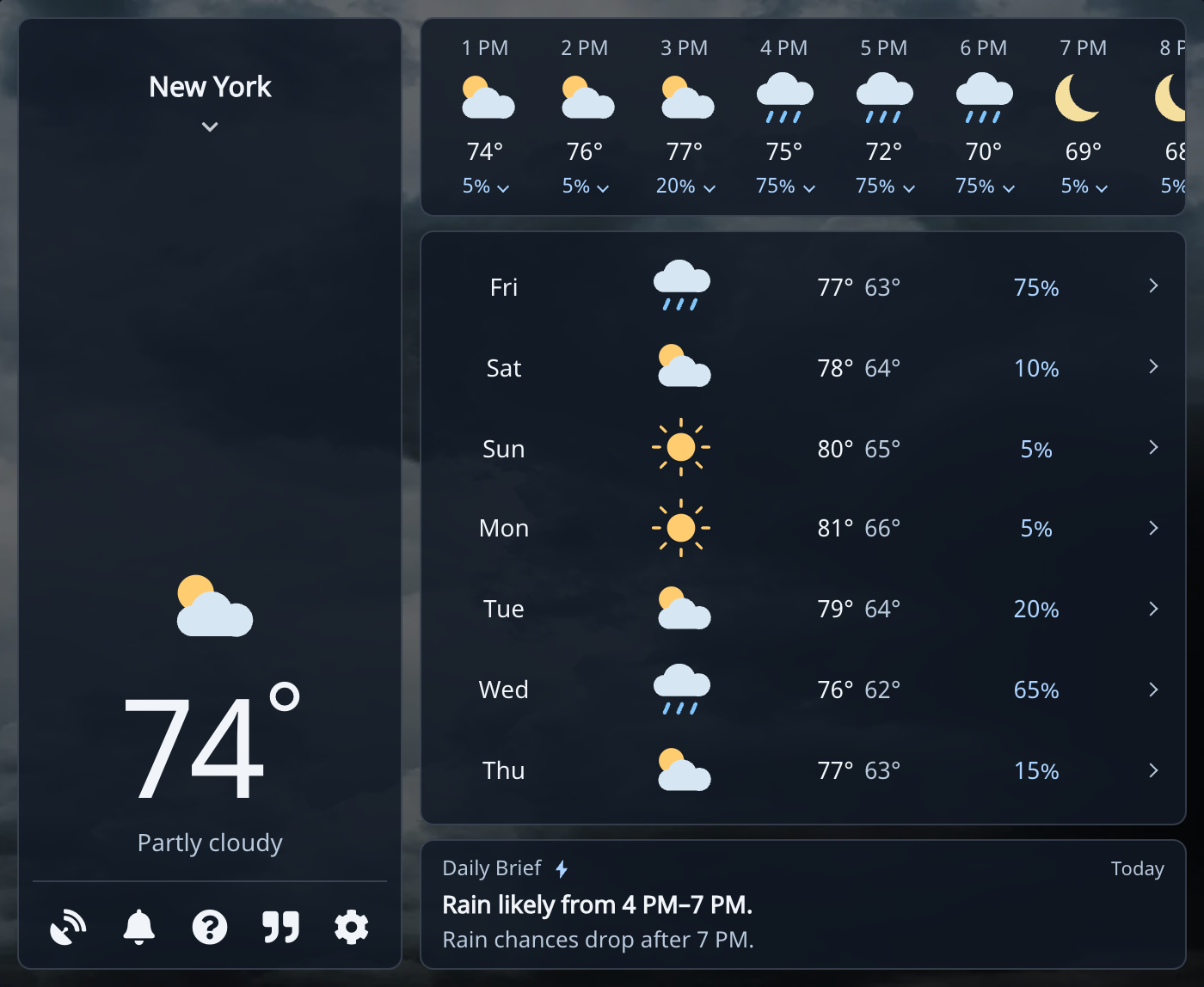
I cleaned up the spacing and panels, made the controls more consistent, and removed the old promotional banner at the bottom.
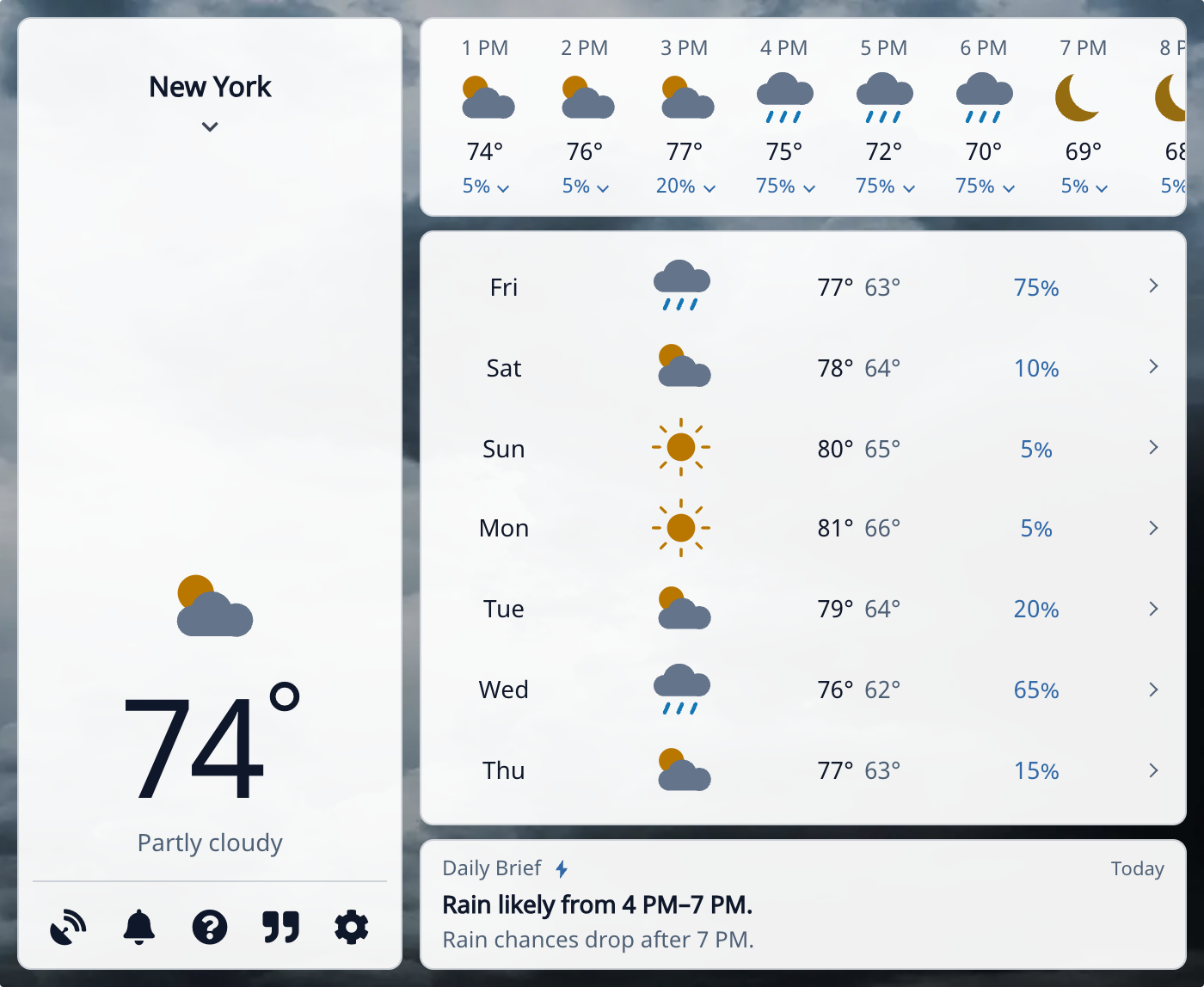
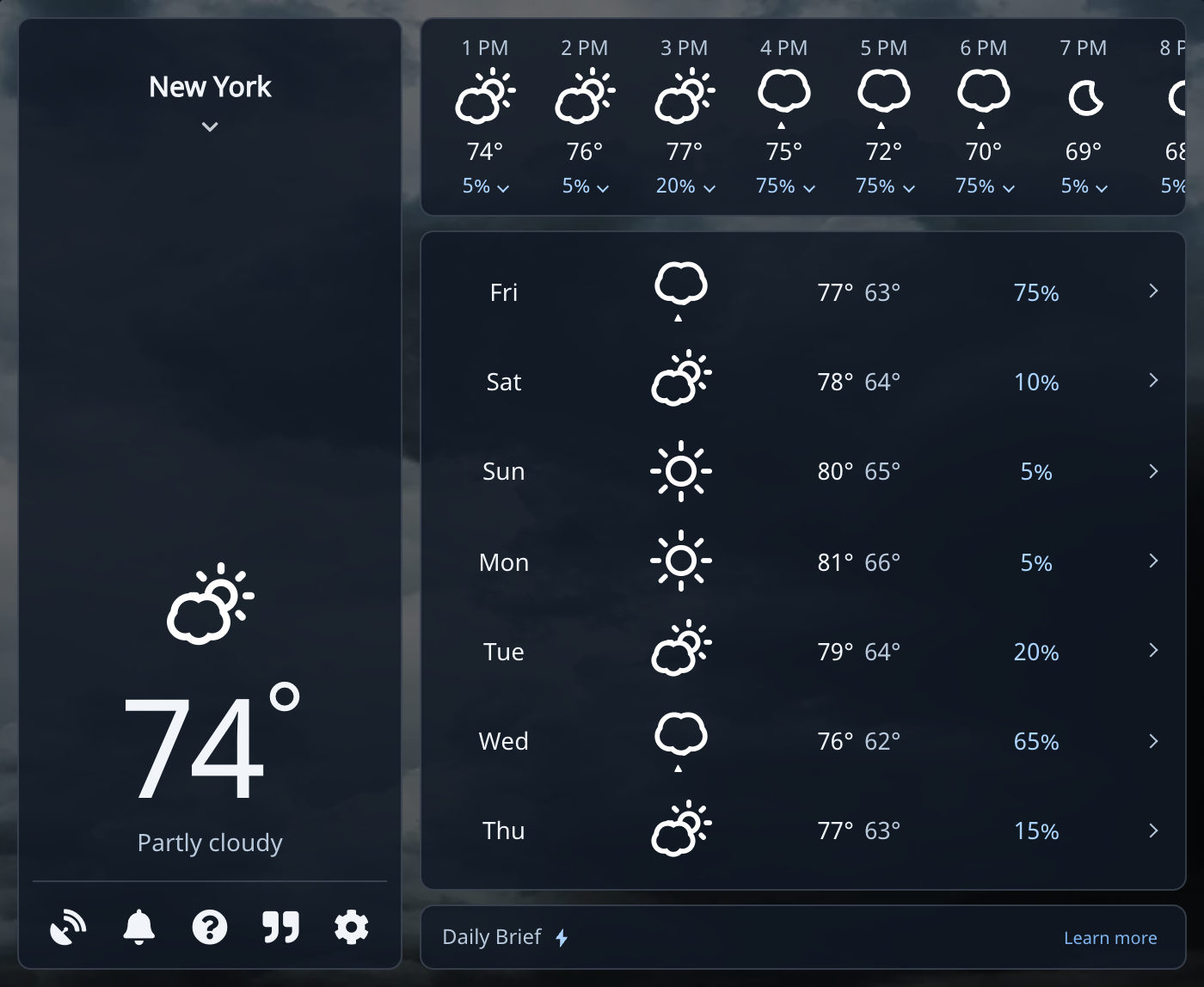
The new Clarity icons make sun, clouds, rain, and snow easy to pick out. Prefer the moving outline icons? Choose Animated. Both styles are free.
There are now eight themes: Classic Blue, Aurora, Sunset, Forest, Ocean, Rose, Slate, and Citrus. Pair a theme with light or dark mode, or choose System to follow your device. You’ll find these under Settings → Appearance.
A closer look
Click Into the Details
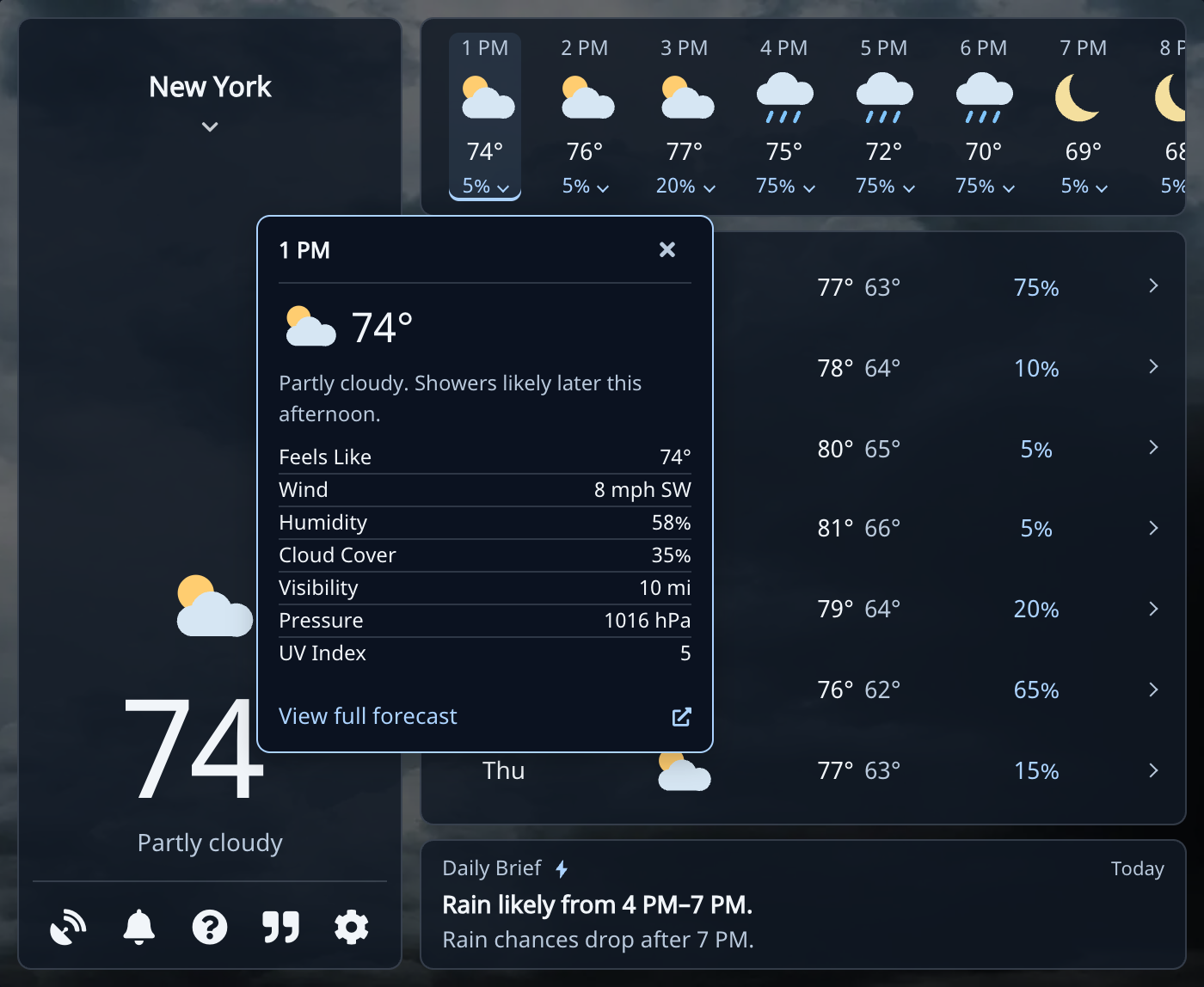
Click an hour or day for wind, humidity, visibility, pressure, and more.
Choose View full forecast when you want more room. It opens the forecast website with your selected hour or day. I’ve also spent time on keyboard navigation, smaller displays, and the extension’s 30 interface languages.
A Daily Brief That Gets to the Point
A rain icon tells you part of the story. The timing is often what matters. The new Daily Planning Brief highlights useful changes from the forecast, such as rain later in the day, stronger wind, or a noticeable temperature swing.
Here’s the brief from the example above:
Rain likely from 4 PM–7 PM.
Rain chances drop after 7 PM.
That gives me something useful to work with before heading outside.
Make it yours
Better Settings and Toolbar Controls
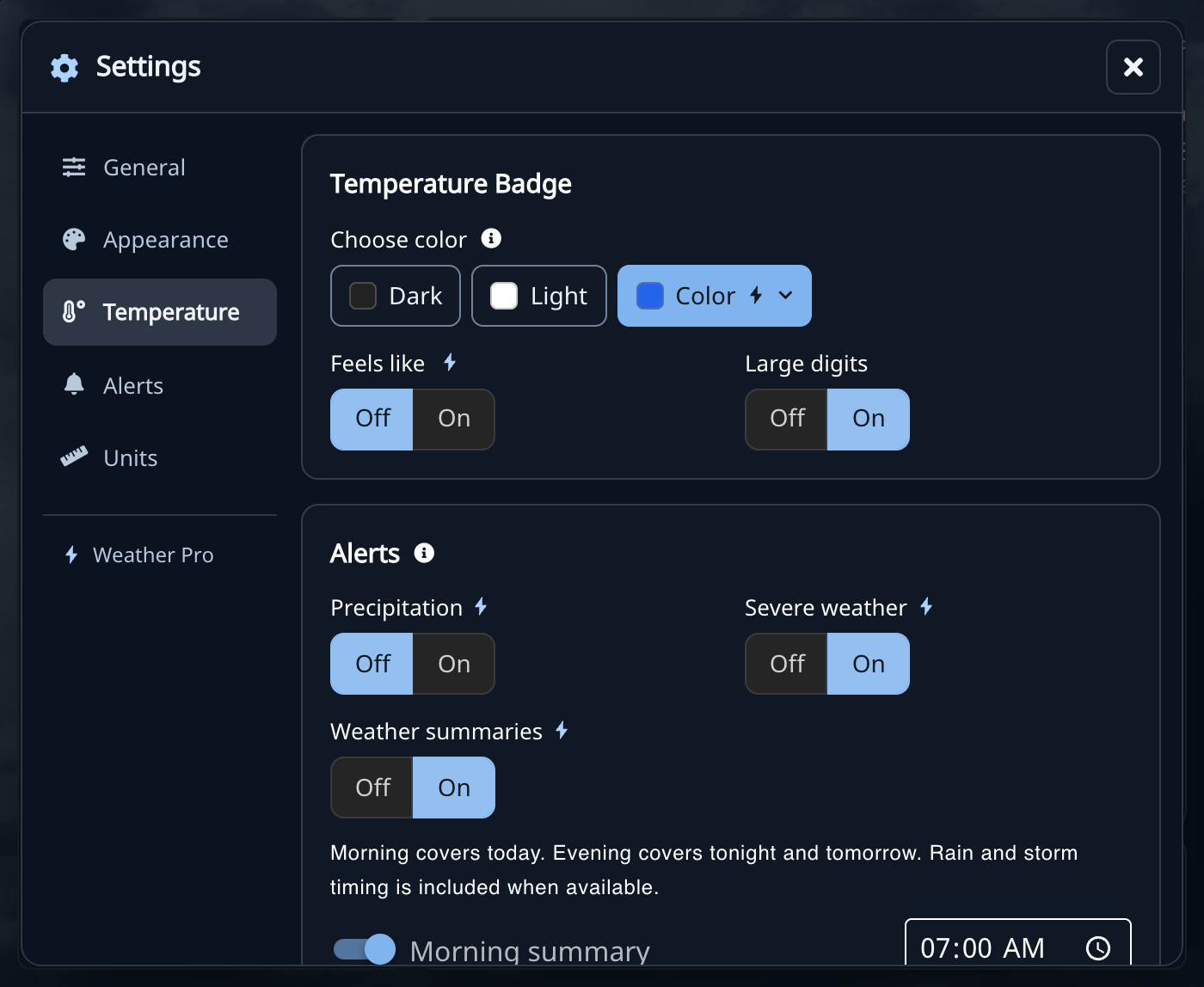
Settings has sections for General, Appearance, Temperature, Alerts, and Units, so it’s easier to find what you want to change.
Light and dark toolbar contrast is free. Pro adds a custom toolbar color and the option to show the feels-like temperature.
The location picker has a city search and Use my location in one place. Your default location controls the toolbar temperature, and Pro gives you more saved locations for home, work, or a trip.
Your Forecast, Morning and Evening
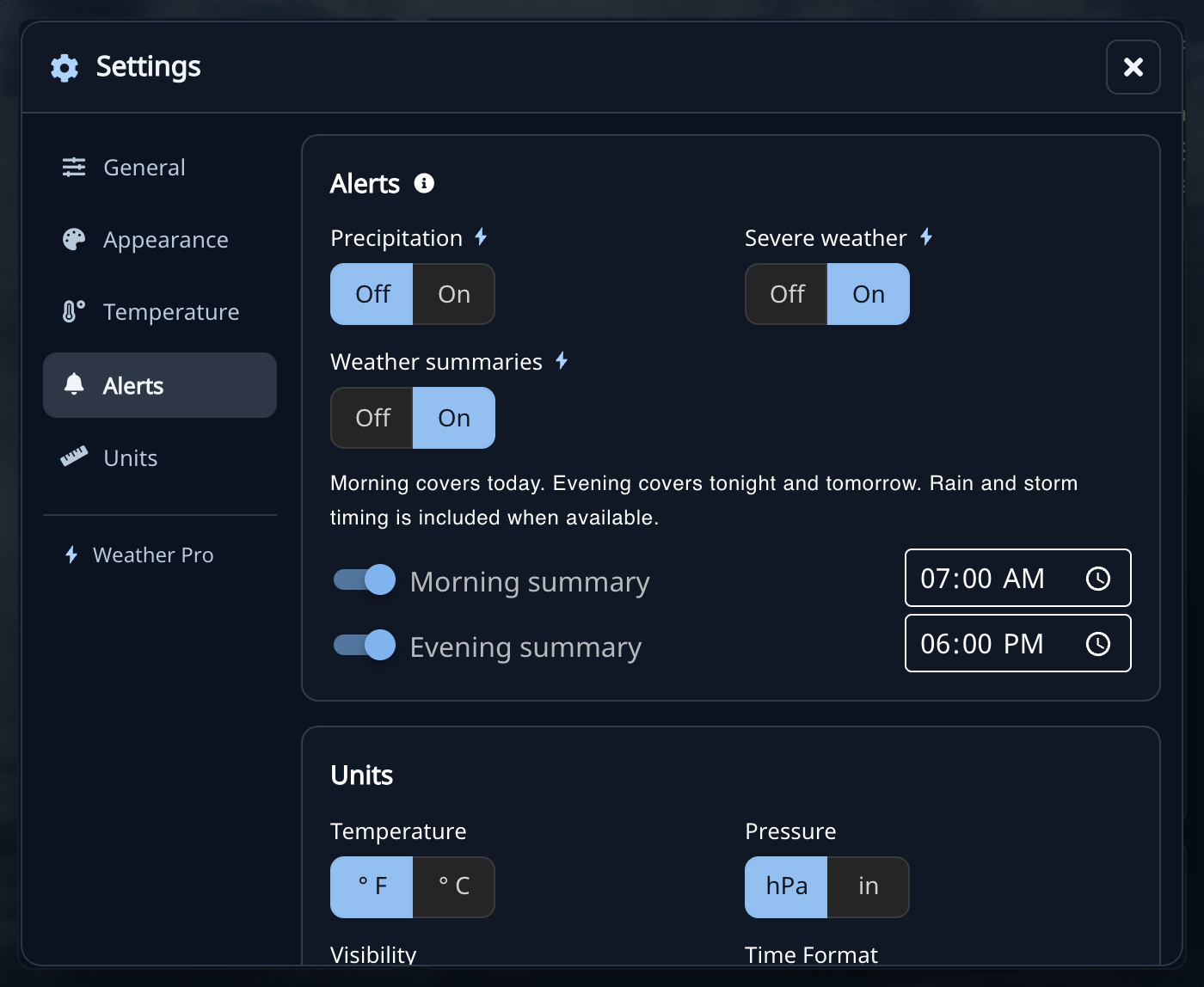
Turn on Weather summaries under Settings → Alerts, then choose a morning summary, an evening summary, or both. Morning covers today. Evening covers tonight and tomorrow, with rain and storm timing when the forecast includes it.
Set the times to suit your day. The schedule follows your device’s clock, and your browser needs to be running. Delivery may be later than the time you choose and depends on browser and system notification permissions.
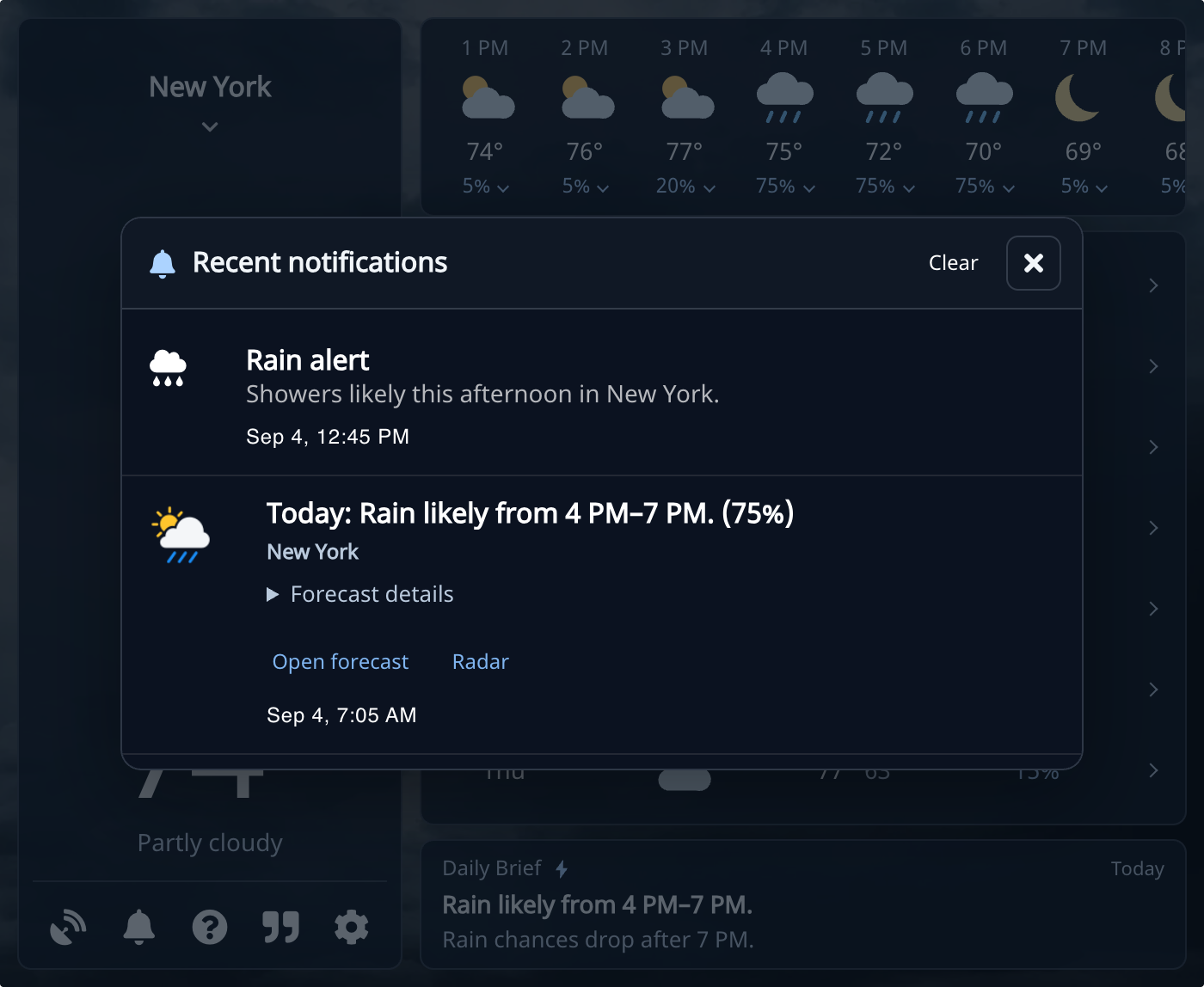
Dismissed a notice before reading it? Click the bell to open Recent notifications. You can expand Forecast details, open the forecast, or jump to radar. The latest 20 entries stay on your device; Clear removes the history without turning off alerts.
A Weather Website You Can Actually Use
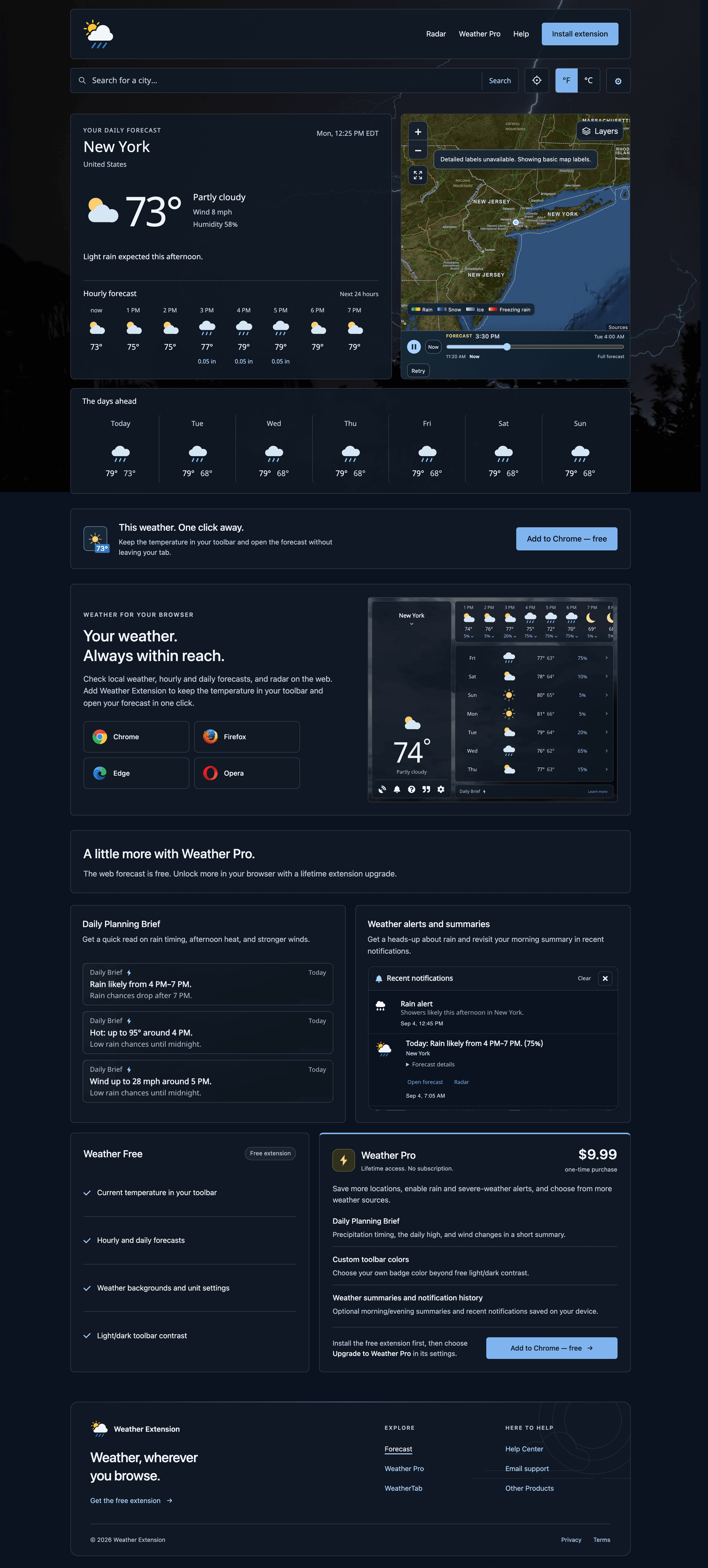
The Weather website now has a free forecast of its own, with city search, current-location support, hourly weather, the days ahead, and radar. You can check it without installing the extension.
Visit the Support Center for help with locations, settings, alerts, radar, and restoring Pro. You can also find it under Contact (?) → FAQ in the extension.
A thank-you for spreading the word
Tell a Friend. Pro Is on Me.
Share Weather with someone who would find it useful, and claim a free lifetime Pro upgrade. A text, an email, or a conversation counts. Already told someone? That counts, too.
Open Contact (?) → Upgrade to Weather Pro, then choose Get Pro free by sharing Weather below the payment options. Confirm that you’ve shared, click Activate my free Pro, and close and reopen Weather in the same browser and profile.
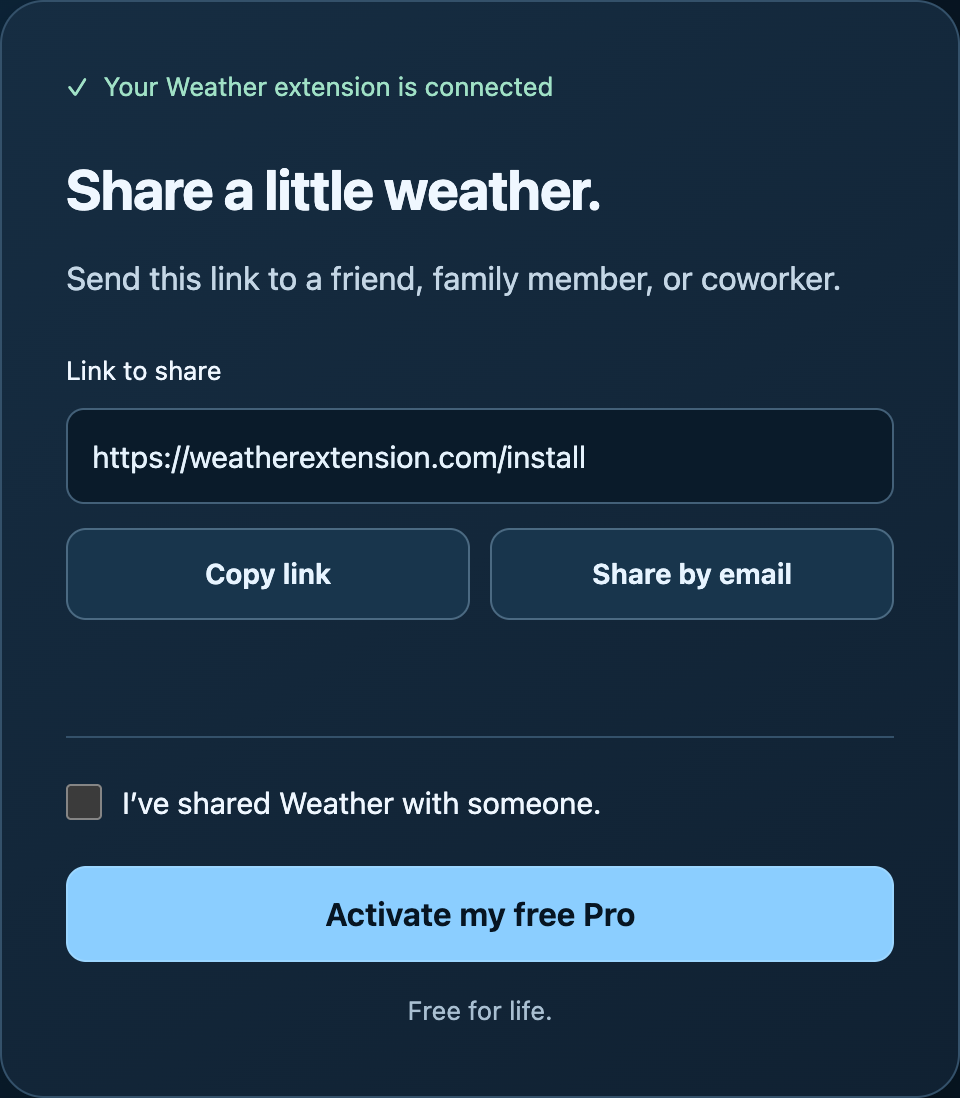
If you prefer to support the project with a purchase, Pro is still a one-time lifetime upgrade. Already paid? You can restore your purchase from Settings → Restore Pro using your purchase email and license key.
Weather Extension for iPhone and iPad
Weather Extension is now on iOS as WeatherExt. Check current conditions, browse hourly and daily forecasts, and explore interactive radar. It also includes animated skies, widgets, and an Apple Watch companion. See the app and screenshots or download on the App Store.
Still One Click Away
It’s been fun to look back at Weather’s earlier designs while working on this update. I want it to remain something you can glance at, get what you need, and get on with your day.
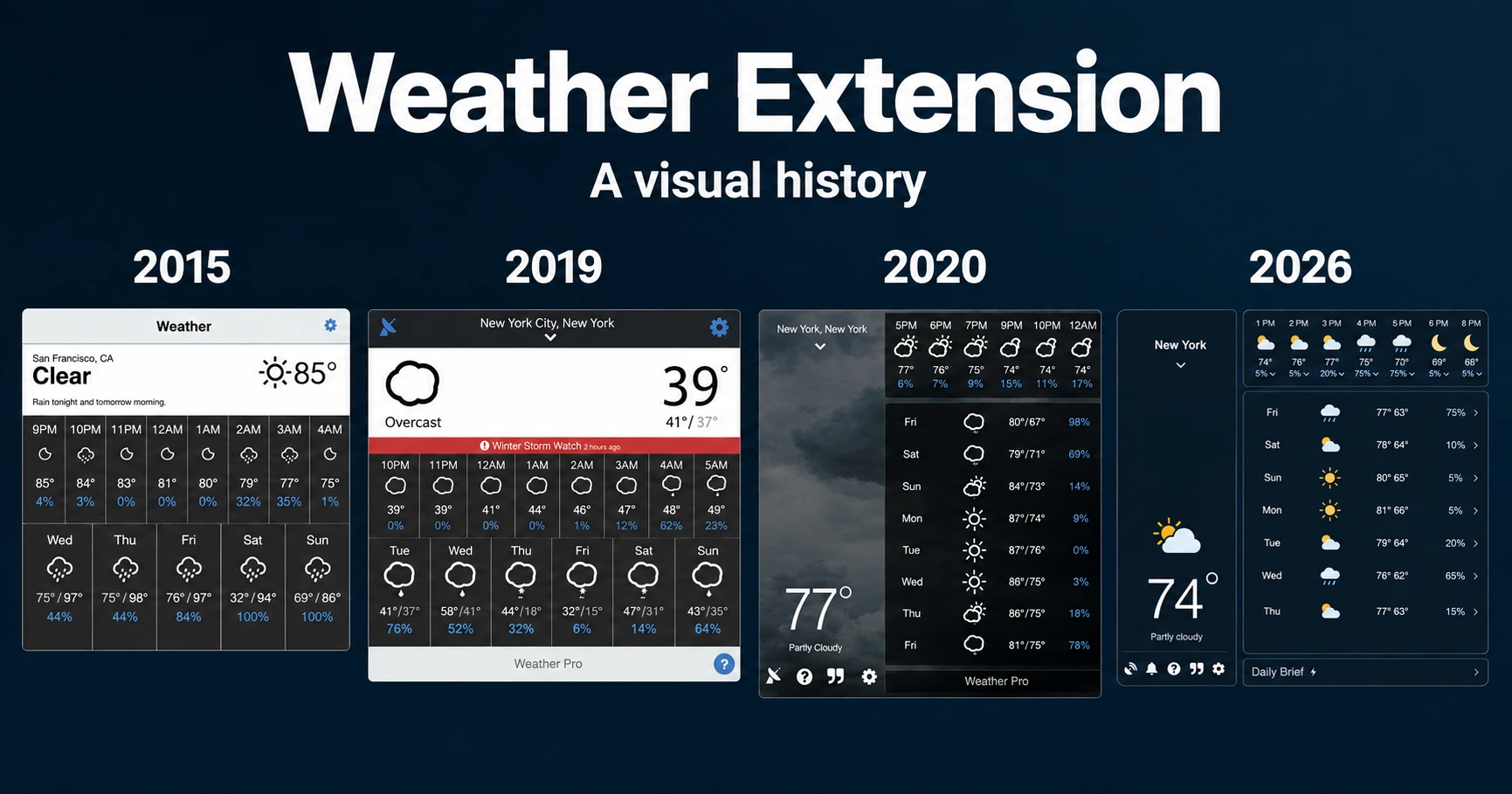
Visit Weather for Chrome, Firefox, Edge, and Opera. This post previews the next extension release; availability can differ by browser while the stores review the update.
If you try it and something feels off, email [email protected]. I’d like to hear what’s useful and what still needs work.