I Rebuilt WeatherTab for a Better New Tab

I rebuilt WeatherTab with a cleaner forecast, full-screen weather photos, and more control over what appears when you open a new tab.
The idea is still simple. Open a tab, check the weather, and get on with whatever you came to do.
The screenshots below show WeatherTab 2.1, with sunrise and sunset, more weather details, and new ways to customize your forecast.
The New Everyday View
The current temperature sits in the middle, with the conditions and today’s high and low underneath. Add the days ahead and a sunrise and sunset card, or keep the view simple.
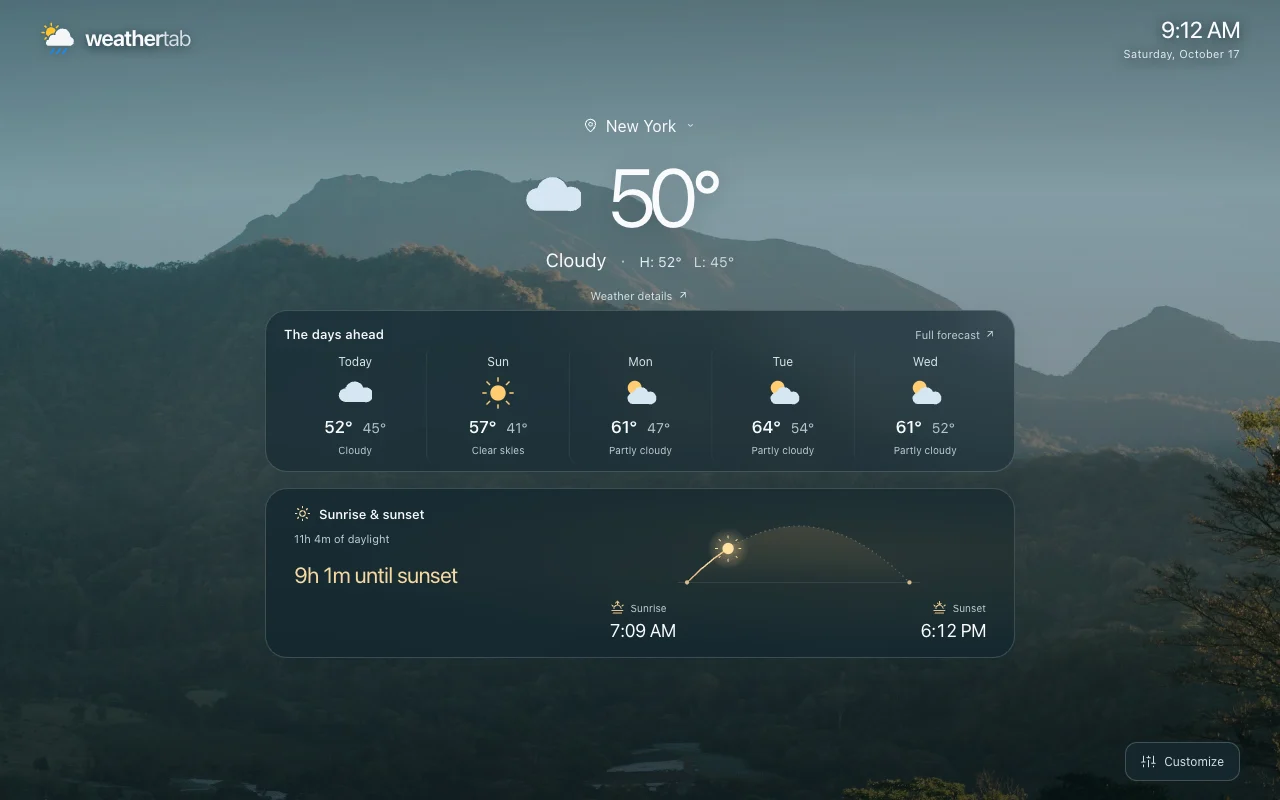
Click a forecast day to open its details on Weather Extension, including the hourly outlook. WeatherTab refreshes the weather about every 30 minutes while the tab is visible and checks for updates when you return. There’s no refresh button to manage.
As Much Weather as You Want
Open Customize in the bottom-right corner and choose a starting point:
- Minimal: Current weather and search, with more room for the background.
- Everyday: Adds the daily forecast.
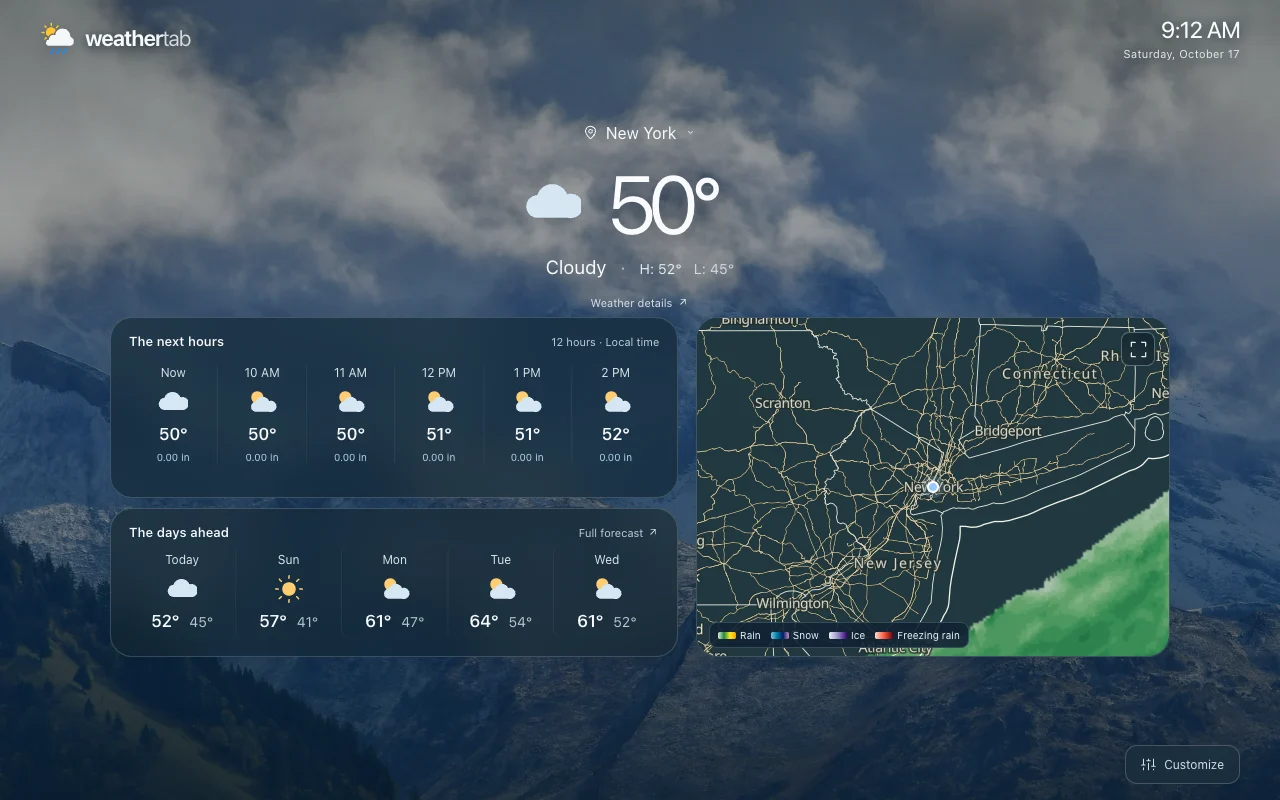
- Expanded: Adds hourly conditions, weather readings, sunrise and sunset, and radar.
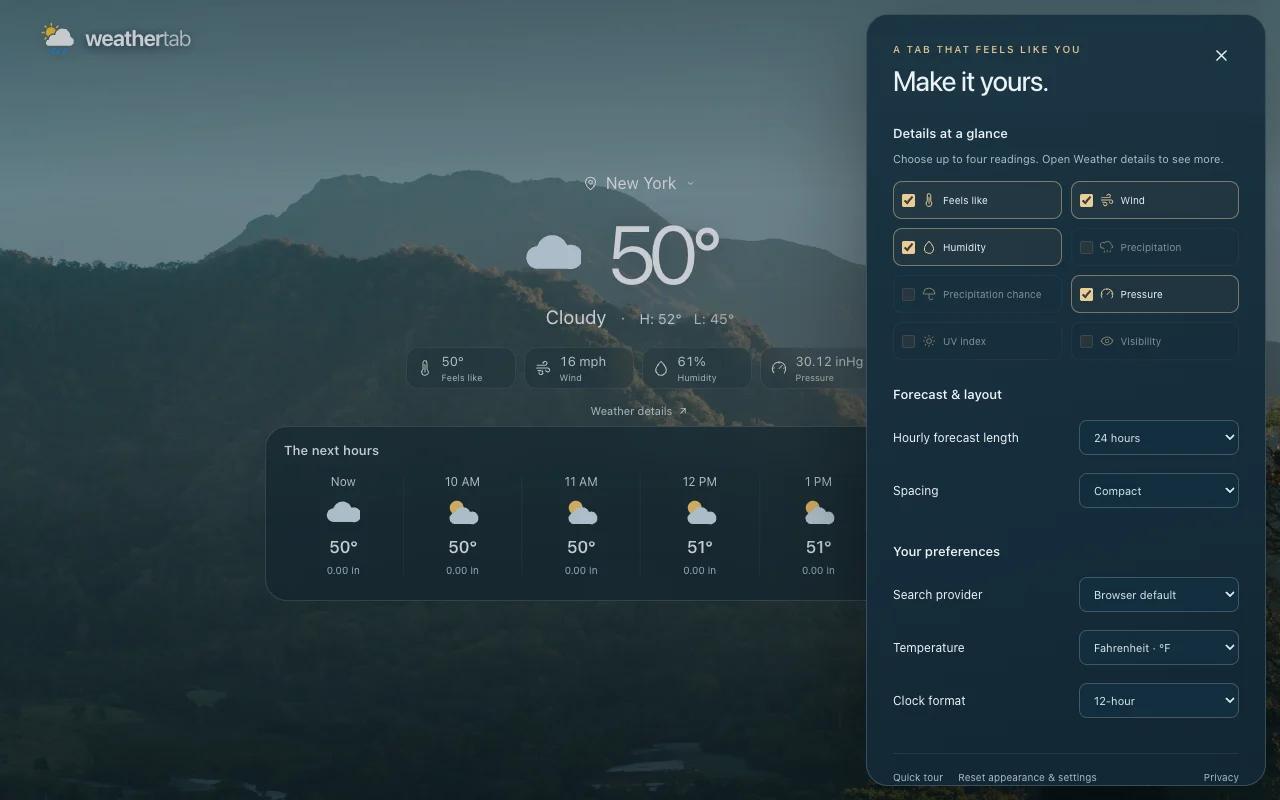
You can adjust those presets. Turn the clock, search, daily forecast, hourly forecast, weather details, and radar on or off individually. Pick up to four weather readings, choose 6, 12, or 24 forecast hours and up to seven days when available, and adjust the spacing. Open Weather details for more readings and moon information. Save cities to switch between them quickly. Settings save automatically.
The Expanded view puts hourly weather and the days ahead beside an interactive radar map. You can see the forecast and check nearby rain without leaving the tab.
Search the Way You Already Do
Search starts with Browser default, which follows Chrome’s search settings. Choose another web provider under Customize → Your dashboard → Your preferences if you prefer.
This setting only changes the search box inside WeatherTab. Your Chrome address-bar search engine stays as you set it.
36 Backgrounds to Choose From
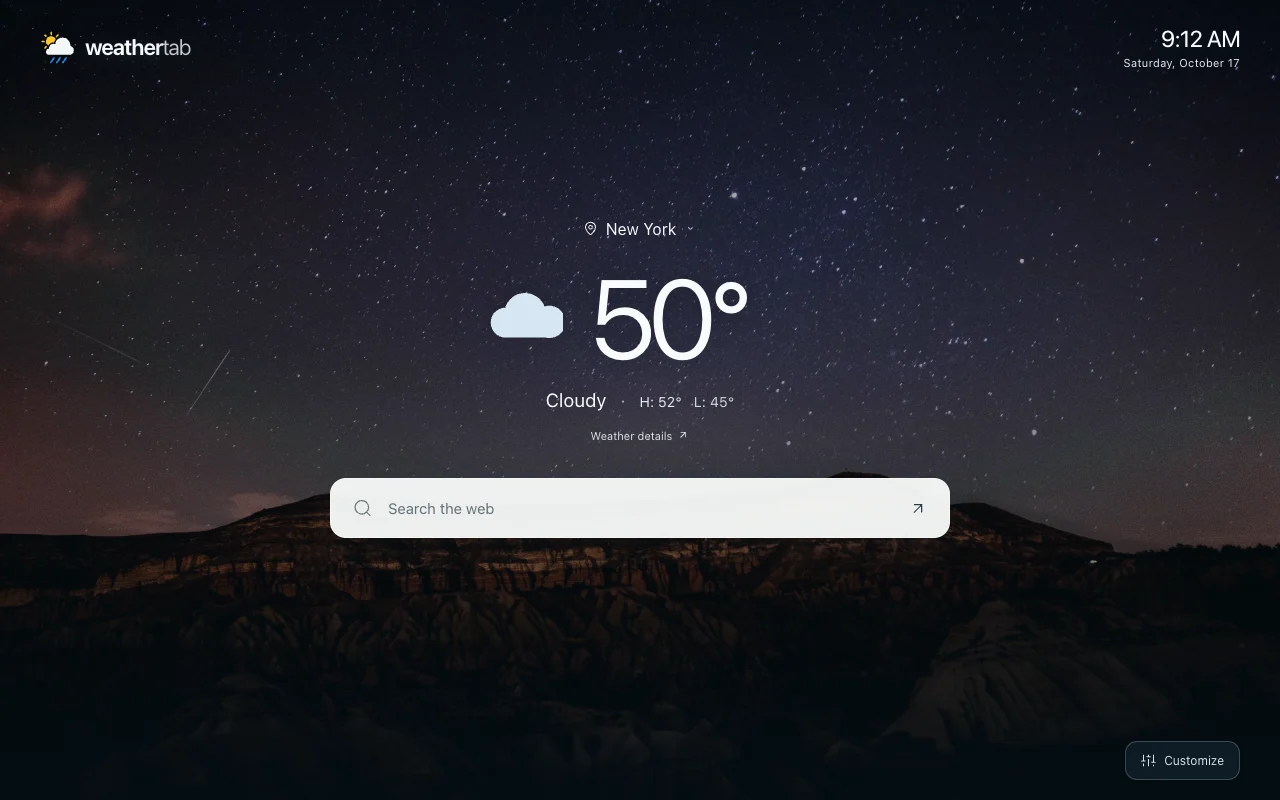
The photo collection now has six images each for sunshine, clouds, rain, snow, mist, and night.
Let the background follow the weather, or pick a favorite and keep it. There’s also a simple blue gradient.
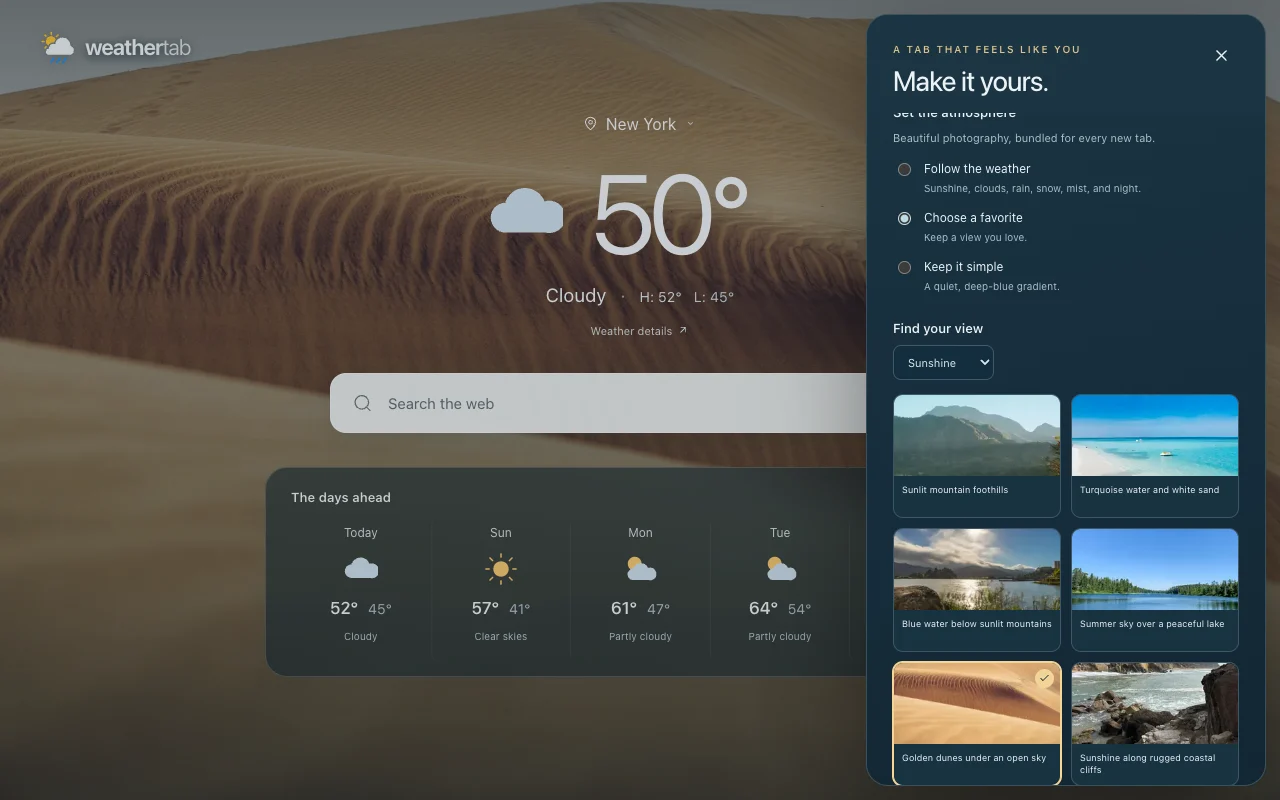
The photos come bundled with the extension. They’re scenery for your tab, rather than photos of your selected city.
A Few Smaller Details
Choose Fahrenheit or Celsius and a 12-hour or 24-hour clock. The clock follows the time zone of your weather location.
You can search for a city manually or choose Use my current location. Location access is requested when you choose that option. Your preferences stay in your browser, and WeatherTab doesn’t require an account.
WeatherTab replaces your new-tab page. If you also want the temperature in your toolbar, Weather Extension does that. I’ve been refreshing that extension too.
For weather on your phone, WeatherExt for iPhone and iPad brings forecasts, radar, animated skies, and widgets to iOS, with an Apple Watch companion. Download on the App Store.
You can see the full product page at WeatherTab on Weather Extension or visit its Chrome Web Store listing. The redesign shown here will be available once the update is released.
If you have a feature request or spot something that needs work, send it to [email protected].